
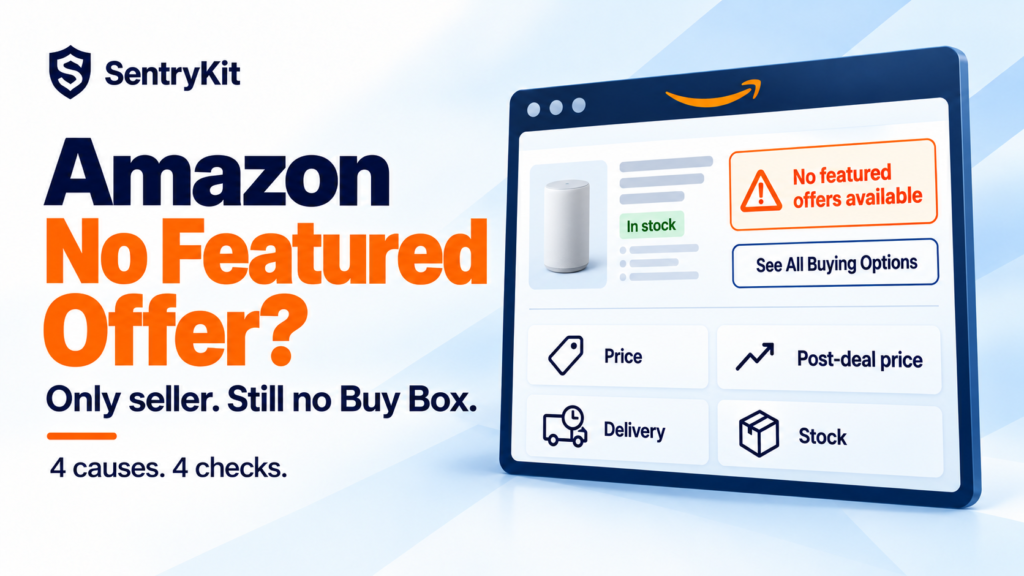
You are the only seller on your ASIN. The listing is live, the stock is there, and the Add to Cart button is gone. Shoppers see “See All Buying Options” or “No featured offers available” instead.
No competitor took your Amazon Featured Offer. Amazon decided not to feature any offer, yours included. In Q4 that almost always comes down to one of four things: price, a post-deal price jump, delivery speed or stock. Each has a different fix, so the first job is working out which one you have.
Amazon says it plainly: if shoppers see “See options” instead of a Featured Offer, there might not be any eligible offers. It lists the usual reasons an offer drops out: “You ran out of stock,” “Your price is too high” and, less obviously, “Your price is too low” (Amazon).
Two terms get mixed up here, and the fix depends on which one you are looking at:
Neither is the same as a search-suppressed listing, where the listing drops out of search results. A listing with no featured offer still shows up in search. It just can’t be bought in one click.
Amazon moves its competitive price without telling you. SentryKit alerts you the moment your price goes above it, with the gap in dollars and percent, while you can still keep the Buy Box. If the Buy Box disappears anyway, even on a listing where you’re the only seller, you get that alert too.
This is the big one. Amazon’s advice is to keep prices “at or below the competitive external price” (Amazon), and its Pricing Health page marks offers priced significantly higher than recent prices, on or off Amazon, as ineligible for the Featured Offer (Amazon News). Being the only seller doesn’t exempt you. If Walmart or your own site sells the same item for less, that is the price you are measured against.
Here is the part most sellers miss: Amazon’s competitive price moves on its own. You can leave your price untouched for a month and still end up above it, because Amazon lowered the line, not because you raised yours. Say you sell at $24.99 and Amazon’s competitive price drops from $24.99 to $21.49 overnight. Nothing in your account changed, you may still hold the Buy Box, and you are now 16% over the line. That is the window to act: after Amazon moves the threshold, before it pulls the Featured Offer. We see this pattern in the alerts we send sellers every day. If the price is far above recent prices, Amazon can go a step further and deactivate the offer as a potential high pricing error.
It moves the other way too. Amazon can raise its competitive price and bring your offer back within range without you touching anything. If you only check Pricing Health now and then, you miss both.
Q4 makes this more likely. Peak fulfillment fees start October 15, and plenty of sellers will pass them straight into the price (here’s what changes that week). The complaint is an old one: on an Amazon.ca forum thread, a Brand Registry owner who was the only seller on their listings asked why they had no featured offer, and one seller replied that raising the price on a best-seller got it flagged and brought zero sales that day (Amazon Seller Forums).
Prime Big Deal Days ran October 6–7. If you restored full price on October 8, your current price may now look like a jump against your own recent prices. Amazon excluded Prime Big Deal Days prices from the Black Friday deal lookback, but it hasn’t said the same about Pricing Health. We covered this in the Prime Big Deal Days breakdown.
Amazon picks the Featured Offer on “competitive pricing, delivery speed, and performance” (Amazon). In Q4, thin FBA stock often sits in fewer warehouses, so some shoppers see a later delivery date. Merchant-fulfilled sellers who stretch handling time for the holidays hit the same wall. A slow or uncertain date can be enough to leave your offer unfeatured. Delivery speed may also explain the reverse case sellers report, where an offer with high shipping still wins the Buy Box.
An out-of-stock offer can’t be featured. Restock and it comes back, but on a listing you own, the gap is also when an unauthorized seller can show up with stock and a better offer.
One counterintuitive thing: don’t fix it by slashing the price. A price that is far below recent prices can also make an offer ineligible. Move it back toward the competitive price, not to the floor.
The harder part is catching it early. Pricing Health is a page you have to remember to open, and a listing can sit with no featured offer for days before the sales report makes it obvious. The better habit is to watch Amazon’s competitive price itself, so you hear about the threshold moving before the Featured Offer goes. SentryKit does that on every ASIN in real time: it alerts you when your price goes above Amazon’s competitive price, when Amazon raises it and you’re back in range, and when a listing has no Buy Box at all. It tells you which ASIN needs you. Plans start at $19/month with a 14-day free trial. See pricing, or see how it works for private label brands.
Amazon is removing the separate eligibility step for the Featured Offer, rolling out from July and finishing by the end of 2026 (Amazon). Existing offers are included automatically, and Amazon says being considered “doesn’t guarantee your offer will be featured.” We broke that change down in what the gate removal actually changed.
For a sole seller it changes less than it sounds. Price and delivery still decide. What does change is who else can compete on your listing. A new seller with a sharper price and a faster delivery date has an easier route to the Featured Offer than before, and a listing with no featured offer is exactly where they win it.
No featured offer isn’t a penalty. It is Amazon telling you your offer stopped looking like the best deal. Find out which part, fix that, and leave the rest alone.
See every change on your Amazon listings
SentryKit watches 50+ signals on your ASINs and alerts you with the before and after, in your language and currency. Plans from $19/mo.
Start 14-day free trialRelated alerts
Amazon isn’t featuring any offer on the listing. For a sole seller this usually means the price is above competitive prices on or off Amazon, the delivery date is slow or uncertain, or the item is out of stock. Shoppers can still buy through See All Buying Options.
Yes. Being the only seller doesn’t guarantee it. Amazon can choose to feature no offer at all if yours doesn’t meet its price, delivery or stock bar.
No. A search-suppressed listing drops out of search results. A listing with no featured offer still appears in search, but shoppers can’t add it to cart in one click.
No. Amazon is removing the separate eligibility step by the end of 2026, but it still selects the Featured Offer on competitive pricing, delivery speed and performance.
It is the price Amazon treats as competitive for an ASIN, based on prices on and off Amazon. Amazon changes it without notice, so your offer can end up above it even if your own price never moved. You can check flagged ASINs in Pricing Health in Seller Central, or use a tool that alerts you when your price crosses it.

Raghav Tiwari · Founder, SentryKit
Raghav is the founder of SentryKit. He spent years running his own Amazon storefronts before building it, and writes about Buy Box strategy, competitive intelligence, and the platform shifts sellers can’t afford to miss.