
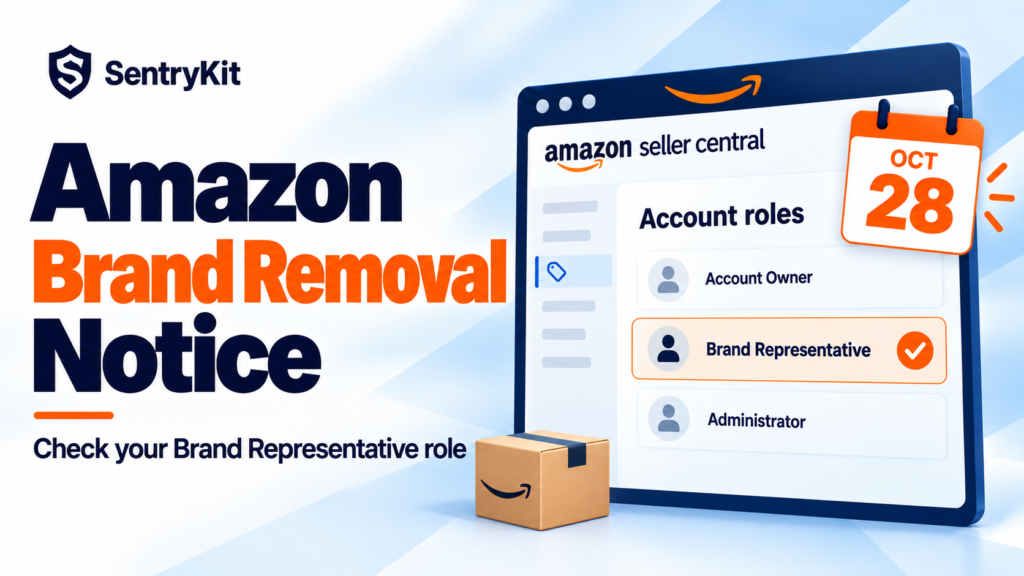
Since mid-October, Amazon has been sending sellers a notice that a brand is “no longer eligible for third-party sellers.” The brand’s listings come off their account on a set date, and only accounts with the Brand Representative role can keep selling it. Resellers saw this coming. Brand owners didn’t. Sellers who make and own their brand have reported the same notice on the Seller Forums, Sellers Ask Sellers and LinkedIn, with removal dates of October 27 and 28.
What the notice checks is your Brand Registry selling role, not your trademark. If the selling account named in the notice has the Brand Representative role for that brand, Seller Support has told sellers the notice doesn’t apply to them. If that account only has Administrator, or the role never connected, it can. Check the role today, and get Amazon’s answer in writing before your date.
| Your situation | What the notice likely means | Before your date |
|---|---|---|
| Brand owner, Brand Representative role on this selling account | Probably sent in error | Screenshot the role, open a case, keep the reply |
| Brand owner, Administrator only | Your selling account isn’t connected as Brand Representative | Assign the role to the selling account |
| Authorized reseller (Reseller role) | The brand is now limited to internal sellers | Talk to the brand, plan the inventory |
| Reseller with no role | Your listings for the brand will be removed | Plan sell-through or removal |
Amazon splits Brand Registry roles in two (Amazon). Protection roles, Rights Owner and Administrator, let you manage the brand and report violations. Selling roles connect a selling account to the brand. Brand Representative is for internal sellers “directly employed by the brand.” Reseller is for authorized outside sellers and comes with fewer benefits.
Owning the trademark gives you Rights Owner and Administrator automatically. It doesn’t put the Brand Representative role on your selling account. That’s the gap these notices catch, and it’s why I’d check the role before assuming Amazon made a mistake.
If the notice is enforced, your offers for that brand become restricted. You don’t have to check every ASIN by hand on the day. SentryKit emails you when Amazon marks one of your ASINs "Approval Required" or "Selling Restricted," and again when Amazon clears it. That second email is how you’ll know a notice sent in error was reversed.
Save the notice. Note the date, marketplace, ASINs and removal date.
Open a case and ask for it in writing. Quote the notice, attach your role screenshot and ask Seller Support to confirm the notice doesn’t apply to your account. A template reply about error 5465 isn’t an answer. Reply and reopen until someone addresses your account.
Work out your exposure, then wait. Say you have 600 units in FBA at $9 landed cost. That’s $5,400 at risk if disposal is real. Don’t pull stock because another seller got a warning, but know the number before your date.
Don’t hand the role to an outside distributor to clear it. Amazon says Brand Representative is for internal sellers, and it unlocks brand data such as Brand Analytics. The right role for a partner is Reseller, which won’t satisfy this notice.
Keep an eye on Account Health. So far these notices haven’t been reported as policy violations. If that changes, it will show up as a count on your Account Health page, under categories like policy violation warnings or restricted product policy violations.
The notice means what it says: the brand is now limited to its own selling accounts. Gating like this often arrives without a violation record, as we covered in what resellers now have to prove. Plan sell-through or a removal order before the date, because some notices say FBA inventory can be disposed of at your cost.
SentryKit can watch all of this for you. Listing issue alerts email you when Amazon marks an ASIN “Approval Required” or “Selling Restricted,” and again when it’s cleared. Sell in EU stores too? GPSR and EPR blocks arrive the same way, and here’s why they keep coming back after you fix them. Account Health alerts check your Account Health report every 6 hours and email you when your account status or a category count changes. Amazon reports counts there, not ASINs, so treat that email as your cue to open Seller Central. The Hijacker alert tells you when a new seller appears on one of your ASINs, which matters more once resellers are gated off your brand. For brand owners, it’s part of Amazon brand monitoring for private label. It tells you which ASIN needs you. Plans start at $19/month with a 14-day free trial. See pricing.
Amazon isn’t asking whether you own the brand. It’s asking which account holds the role, so make sure the answer is yours before the 28th.
Know when Amazon restricts a listing
SentryKit watches 50+ signals on your ASINs, from selling restrictions and account health to new sellers and Buy Box changes, and emails you when one changes. Plans from $19/mo.
Start 14-day free trialRelated alerts
Amazon has limited that brand to selling accounts that hold the Brand Representative role. Accounts without it lose their listings for the brand on the date in the notice.
Usually because the selling account named in the notice doesn’t hold the Brand Representative role, or it does and the notice went out in error. Check Manage selling accounts in Brand Registry, then get Seller Support’s confirmation in writing.
Brand Representative is for internal sellers employed by the brand and unlocks the full Brands section, including Brand Analytics. Reseller is for authorized outside sellers, with limited benefits. Neither stops someone changing your brand name on a listing; see unauthorized brand-name changes.
Some notices say inventory left in FBA can be disposed of at the seller’s expense. If the notice applies to you and isn’t reversed, create a removal order before the date. Brand owners and resellers already hold separate stock since commingling ended.
The Account Owner finds it in Seller Central under Settings, Manage Accounts. Since July 29, 2026, Amazon uses it instead of the merchant token to assign selling roles.

Raghav Tiwari · Founder, SentryKit
Raghav is the founder of SentryKit. He spent years running his own Amazon storefronts before building it, and writes about Buy Box strategy, competitive intelligence, and the platform shifts sellers can’t afford to miss.