
Most sellers know what a hijacker looks like: a third-party appears on your listing, undercuts your price, and starts capturing your Buy Box. That’s the version everyone talks about.
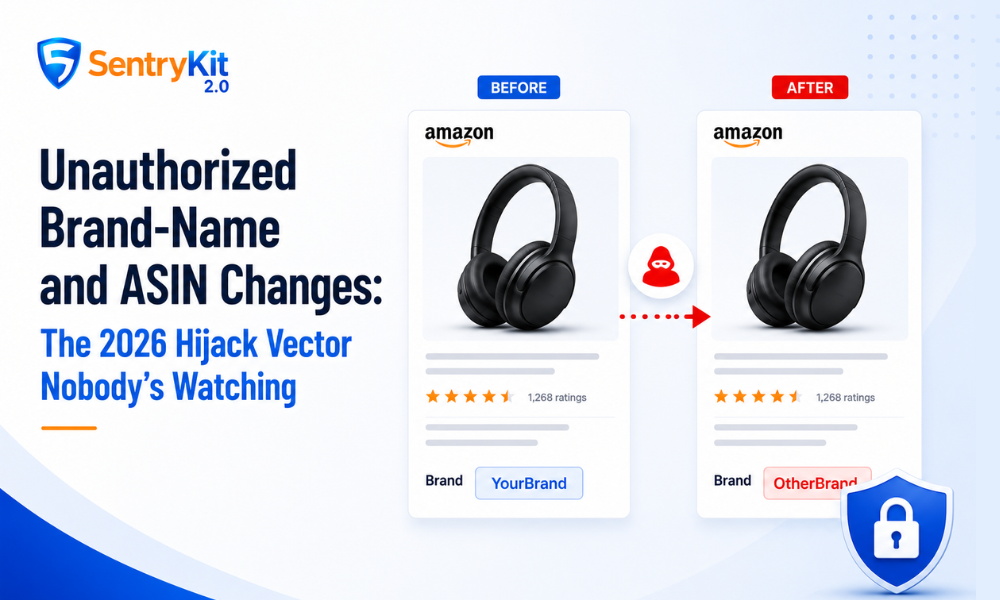
There’s a second type of attack that gets far less attention — and it doesn’t require an unauthorized seller at all. Someone can change the brand name, title, or key attributes on your ASIN directly. No new seller. No Buy Box competition. Just a quietly altered listing that breaks your catalog in ways you won’t notice until the damage is done.
This post covers that second vector, how it works in 2026, and what actually stops it.
Conflating these two threats leads sellers to apply the wrong protection to the wrong problem.
Unauthorized seller hijack: A third-party adds themselves to your listing and competes for the Buy Box. Your ASIN content stays the same. The problem is who’s selling, not what the listing says. For a full walkthrough on removing an unauthorised seller from your listing, see our dedicated guide.
Attribute manipulation hijack: A bad actor — or in some cases a competing brand contributor — submits catalog changes that alter your ASIN’s brand name, title, bullet points, or main image. The listing itself is corrupted. No new seller appears on the detail page, which is exactly what makes it hard to spot.
Both are real threats. Neither fix covers the other.
Every product attribute on Amazon — brand name, title, color, material — is stored as a catalog field. Those fields accept contributions from sellers and vendors who have sufficient catalog weight on that ASIN.
If your brand is not enrolled in Brand Registry, the brand name field is effectively open to modification. A contributor with enough catalog authority can submit a change. Amazon’s systems treat it as a correction or improvement. Your original brand name gets overwritten.
Even enrolled brands are not fully immune. Brand Registry raises the barrier — it establishes you as the rights owner and gives your contributions more weight. For a clear breakdown of what Brand Registry alone doesn’t protect against, see our full analysis. Without an additional control layer, a sufficiently persistent contributor can still push through attribute changes on some ASINs.
Amazon has been tightening ASIN creation and catalog contribution controls throughout 2026, drawing clearer lines around who can modify catalog data. That trend benefits enrolled brands — but it also means the gap between enrolled and non-enrolled sellers is widening. If you’re not enrolled, you’re the easiest target on the board.
The fallout is faster and wider than most sellers expect.
Send to Amazon blocks your shipment. When you create a shipment, Amazon cross-checks the brand name on the ASIN against what’s on your account. If there’s a mismatch — because someone changed the brand name — the workflow stops. You can’t send inventory until the discrepancy is resolved. For most sellers, this is where they first realize something is wrong: not by catching a listing change, but by hitting a wall in their shipping workflow.
Brand Registry enforcement links break. Your enforcement actions in Brand Registry are tied to your registered brand name. If the ASIN no longer carries that name, those links disconnect. You lose the ability to report infringement on that ASIN through the standard tools.
Customers searching by brand miss your listing. Search results that filter by brand name will stop returning your ASIN. Shoppers who know your brand and search for it directly will find nothing, or find a competitor.
The ASIN may get flagged. A brand name inconsistency can trigger an Amazon review that suppresses the listing or restricts sales while the issue is investigated.
Notice the pattern: the damage surfaces as a shipping problem or a suppression problem, not as a content problem. That disguise is what delays diagnosis by days or weeks.
Brand Catalog Lock is a 2026 feature for Brand Registry-enrolled sellers, first reported by Velocity Sellers in May 2026. It locks specific content fields — title, main image, bullet points, and description — against modification by anyone outside your authorized brand representatives.
The critical difference from Brand Registry alone: it’s preventive, not reactive. Brand Registry gives you tools to fight attribute changes after they happen. Catalog Lock stops the change from going through in the first place.
To access it, you need to be enrolled in Brand Registry. From there, Catalog Lock is available through your Brand Registry dashboard. If you have high-priority ASINs you’ve been meaning to protect, this is the place to start.
Brand Catalog Lock is available to sellers enrolled in Amazon Brand Registry — if you haven’t enrolled yet, that’s the first step.
Catalog Lock is a content protection tool. It is not a seller protection tool.
It will not prevent an unauthorized seller from appearing on your listing. That problem requires a separate response: price parity enforcement, test buys, cease-and-desist notices, and Brand Registry reporting.
The two protections are built for different threats. Catalog Lock secures what your listing says. Hijacker detection secures who’s selling on it. You need both.
One more thing: Catalog Lock protects enrolled brands on the ASINs where it’s activated. It doesn’t retroactively fix changes that happened before activation. If you suspect your brand name has already been altered, address that first — the FAQ below walks through it. For the formal dispute process, start with Amazon’s guidance on reporting listing violations through Seller Central.
Catalog Lock is your first line of defense. It’s not a complete one.
Contributions can still be attempted on fields outside the lock, and most sellers don’t activate Catalog Lock across their full catalog on day one. That’s where monitoring fills the gap.
SentryKit’s Content Changed alert is a digest alert — it flags when key listing attributes (title, bullets, images, brand) have been modified. We’ve seen sellers catch silent listing changes on secondary ASINs they hadn’t yet locked, exactly because the digest surfaced it before the damage compounded. It’s the backup layer: lock what you can, monitor everything. To understand your your full brand protection stack, see our ranked comparison of the leading tools.
The practice is straightforward: lock your catalog, monitor for changes, investigate anything flagged.

Nisha Shetty · Marketing Manager, SentryKit
Nisha is a marketing manager and former Amazon seller who writes about e-commerce growth, consumer behavior, and digital retail trends.