
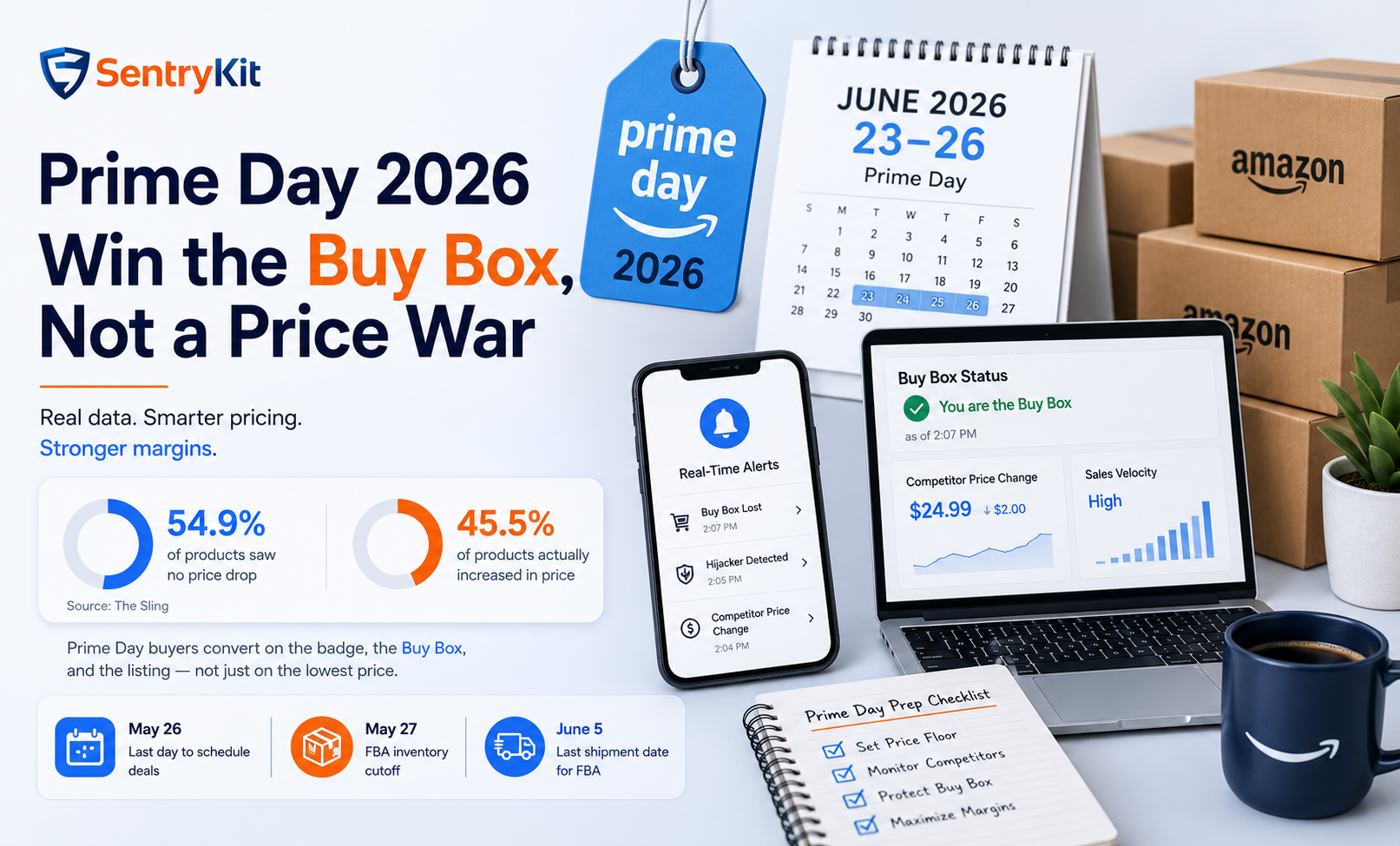
Most sellers walk into Prime Day assuming they need to drop their prices to compete. The data says otherwise. According to research published in The Sling, 54.9% of Amazon products saw no price drop during Prime Day 2025, and 45.5% actually increased in price. The sellers who hold the Buy Box on Prime Day are not the ones racing to the bottom — they’re the ones who know their floor, watch competitor moves in real time, and respond on their terms.
This post covers the timeline you’re working against, the data behind the pricing myth, how the Buy Box behaves under Prime Day traffic, and the three competitor scenarios you’ll actually face.
Amazon has confirmed Prime Day 2026 will run in June across 26 countries. Industry consensus points to June 23–26 — positioning the event right before the Q2 close. That puts you roughly five weeks out as of this writing.
The deadlines that matter right now:
If you’re still inside those windows, your priority for this week is locking deals and inventory. If you’ve already moved past them, your priority shifts to pricing and Buy Box defense — which is what the rest of this post is about. Either way, the prep piece on Buy Box position before Prime Day covers the broader sequencing.
Pricing for October instead? The same floor logic applies to Prime Big Deal Days (October 6–7, 2026). Our Prime Big Deal Days 2026 seller guide covers what is still open once deal submissions close.
The default assumption is that Prime Day requires aggressive discounting. The data does not support this.
The Sling’s pricing research found that over half of all products on Amazon saw no price drop at all during Prime Day 2025, and nearly half were actually priced higher than they had been the week before. The Washington Monthly’s April 2026 coverage of Amazon’s pricing algorithms reached the same conclusion through a different lens: deal badges drive conversion more reliably than price drops do, and Amazon’s algorithms are designed to raise prices wherever they can.
The takeaway: Prime Day buyers convert on the badge, the Buy Box, and the listing — not on the percentage discount alone. A trusted, well-reviewed Prime-eligible listing at a steady price will out-convert an aggressive undercutter who lacks those signals. Defending margin is the right default position. Drop price only when the math supports it.
Two things shift on Prime Day. Both work in favor of sellers who hold a strong listing.
Traffic spikes, and the Buy Box gates more transactions per hour. A Buy Box at 70% share matters several times more in revenue terms during Prime Day than it does on an average Tuesday, because the per-hour volume is multiples higher. That’s why even small Buy Box losses compound fast.
The trusted-seller premium widens. Amazon weights Buy Box eligibility on price, fulfillment, seller metrics, and inventory. Prime-eligible FBA sellers with strong feedback typically hold the Buy Box at modestly higher prices than aggressive undercutters who lack those credentials. The Helium 10 explainer on Buy Box mechanics covers the underlying signals in detail; the practical implication is that you don’t need to be the lowest price to hold the Buy Box — you need to be in the price band where Amazon still trusts you.
Buy Box rotation is also relevant here. When two or more sellers have similar metrics, Amazon often rotates the Buy Box rather than awarding it permanently. During Prime Day’s traffic spike, rotation cycles can decide hundreds of orders in an hour. That’s why pricing defense, not pricing aggression, is the right default — you want to be the seller Amazon trusts during rotation, not the one undercutting your own margin.
A price floor is the lowest price at which you will sell during Prime Day. Below it, you lose money on every unit. Above it, you have room to flex on competitor moves without falling into a margin trap.
The calculation:
Landed cost + FBA fee + Prime Day promotional cost + minimum acceptable margin = price floor
A worked example. A private label product with:
Floor: $27.00. That’s the line. If a competitor undercuts to $24, you don’t follow — you let them burn margin and wait for the rotation to come back to you. The seller who never sets a floor is the seller who finds themselves at $22 on the third day of Prime Day, wondering why their P&L looks worse than last year despite higher volume. Margins quietly erode this way when the floor is calculated mid-event instead of beforehand.
The first question is not “should I match?” It is “are they FBA or FBM, and how does Amazon weight them?” An FBM seller undercutting an FBA seller by 30% often doesn’t take the Buy Box at all — Amazon’s fulfillment-weighting protects you. An FBA competitor matching your fulfillment but undercutting on price is a different conversation.
The right move in most cases: hold your price. The aggressive undercutter often loses margin without taking enough Buy Box share to justify the move, and within hours or days they retreat or run out of inventory. Match only when (a) the competitor is FBA, (b) their metrics match yours, and (c) you’ve checked that matching them still leaves you above your floor.
The hijacker check comes before the pricing decision. Open the “Other Sellers on Amazon” section, identify the new seller, and confirm whether they are authorized to sell your product.
If they are unauthorized: act on the hijacker, not the price. A hijacker who is also pricing aggressively is a faster route to Buy Box loss than a legitimate competitor doing the same thing — but the fix is to remove them, not to chase them on price.
If they are authorized: evaluate their Buy Box eligibility (Prime status, feedback, FBA), then decide. Most new entrants do not yet have the seller-metric trust to win the Buy Box at price parity, so undercutting them on price often gives away margin you didn’t need to give away.
If you use a repricer, Prime Day’s volatility is the worst environment for rule-based logic. Two patterns to watch:
Repricers work well alongside good pricing intelligence. They work poorly as a stand-alone defense during high-volatility windows. Tighter floors, manual override windows during peak hours, and real-time alerting on Buy Box state are the practical mitigations.
Most sellers learn about Buy Box losses hours after they happen — usually the next morning, when the dashboard catches up. On Prime Day, hours is too late. The alert set worth configuring this week:
The right configuration is real-time delivery — email, Slack, or webhook — not delayed digests. SentryKit’s alerts are built for exactly this pattern: real-time Buy Box and competitor price intelligence that fire in seconds rather than hours.
Prime Day rewards sellers who prepare on margin, not on panic. The price floor is the most underused tool in the toolkit. Set yours this week, defend it during the event, and let the data do its work.
No. Research shows over half of Amazon products did not drop in price during Prime Day 2025, and a large share actually increased in price. The Buy Box, deal badges, and listing trust signals drive conversion more reliably than discount depth. Set a price floor, defend margin, and drop price only when a specific competitor scenario justifies the move.
Amazon has confirmed Prime Day 2026 will run in June across 26 countries. Industry consensus points to June 23–26. Final dates will be confirmed by Amazon closer to the event.
Add your landed cost, FBA fee, Prime Day promotional cost (deal fee, coupon allocation, ad lift), and the minimum margin you’ll accept per unit. That total is your floor. Do this calculation before Prime Day starts.
Often not. Check first whether the competitor is FBA or FBM and whether their seller metrics match yours. An FBM seller undercutting an FBA seller frequently doesn’t take the Buy Box anyway. Match only when the competitor is FBA, their metrics match yours, and matching them still leaves you above your floor.
A repricer helps with execution but doesn’t replace pricing intelligence. Rule-based repricers can spiral during Prime Day’s volatility. The reliable pattern: tighter floors, manual override windows during peak hours, and real-time alerts on Buy Box state alongside whatever automation you use.

Nisha Shetty · Marketing Manager, SentryKit
Nisha is a marketing manager and former Amazon seller who writes about e-commerce growth, consumer behavior, and digital retail trends.