
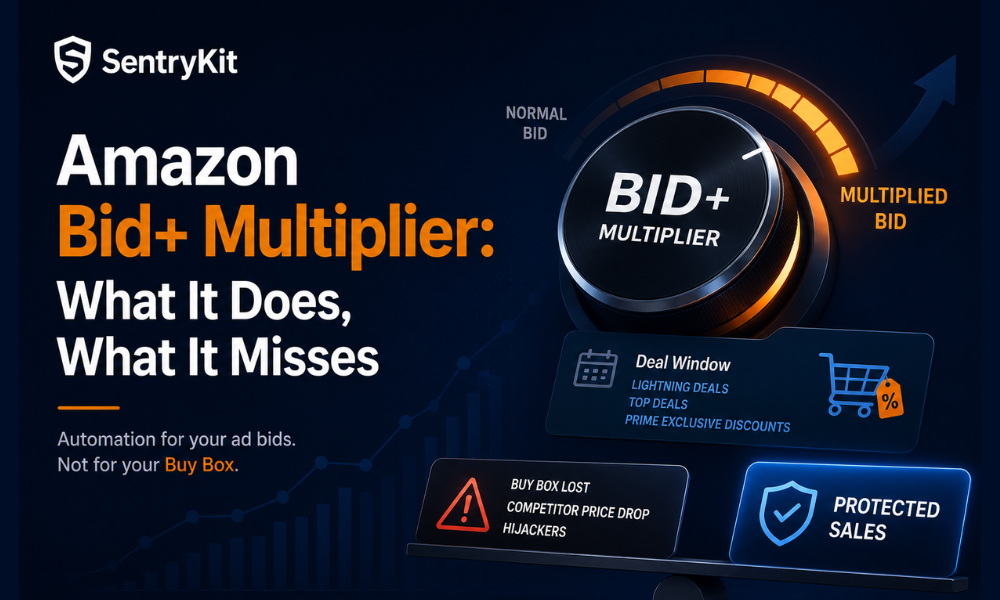
Amazon just turned on a new advertising automation for Q4: the Holiday Ad Budget Bid+ Multiplier. The rollout lines up with the opening of holiday deal submissions, and on the surface it fixes a real headache. Sellers running Lightning Deals, Top Deals, or Prime Exclusive Discounts have historically had to manually raise ad bids the moment a deal goes live, then remember to walk them back down once it ends. Miss that window on either side and you either underspend on traffic during your best conversion hours, or keep paying inflated bids for days after the deal has already closed.
Bid+ Multiplier automates that one step. According to Amazon Seller Central, the feature automatically raises ad bids while a Lightning Deal, Top Deal, or Prime Exclusive Discount is live on a listing, then returns those bids to normal once the deal window closes. Amazon frames it as a way to cut down on manual bid monitoring during the busiest promotional weeks of the year, and for that one job, it’s a genuine improvement.
It also isn’t coming out of nowhere. Amazon has been layering automated bid management into the ads console all year — a rule-based bidding option that automatically optimizes for ROAS within a set campaign budget, and a portfolio feature that lets unspent budget from one campaign flow to another that’s already hit its daily cap. Bid+ Multiplier is the same instinct applied specifically to deal windows: stop making sellers babysit a bid dial during the two weeks of the year when they have the least time to watch it.
Here’s the problem: more ad spend during a deal isn’t automatically a win. Raising your bid gets more shoppers to click through to your listing. It says nothing about whether that listing is actually yours to win once they arrive. That gap is what this post walks through.
The feature does one thing: it adjusts your ad bid based on deal status.
That’s the full scope. It’s a bid-timing tool tied to a promotional calendar, not a broader campaign strategy engine, and it doesn’t touch anything outside the ad auction itself.
Bid+ Multiplier automates one variable, ad bid, and only for the duration of a deal. Everything else about the listing stays exactly as manual as it was before.
This is the part that matters more than the automation itself. Bid+ Multiplier has no visibility into, and no mechanism to react to, any of the following:
Picture a seller running a Lightning Deal on a $34 kitchen SKU during the first week of December. Bid+ Multiplier raises the ad bid the moment the deal goes live, exactly as designed. A competitor undercuts the deal price ninety minutes in and takes the Buy Box. Every click Amazon just paid more to generate now lands on the competitor’s offer instead. The ad spend did its job. The sale went to someone else.
None of that is a knock on the feature. Ad bidding tools are built to manage ad auctions, not competitive listing conditions. But it means the worst-case scenario for a seller running a deal this Q4 looks exactly like the kitchen-SKU example above: Bid+ Multiplier raises your bid, drives more shoppers to the listing, and a competitor is the one who fills the order because they’re holding the Buy Box you assumed was yours. You end up paying more to send traffic to a sale you’re not making.
One line worth drawing carefully here, because it’s easy to blur: this isn’t a case where a monitoring tool can fill the blind spot on the ad side. Buy Box visibility and ad performance are separate data sets. A platform that shows you who holds the Buy Box on a listing has no more access to your PPC bids, ACOS, or ad spend than Bid+ Multiplier has to your competitor’s pricing. They’re two different jobs, and no single tool currently does both.
Takeaway: The automation covers the bid, not the sale. It has no view into Buy Box status, competitor price moves, or hijacker activity — and paying more to send traffic to a listing you’ve already lost is the most expensive version of this gap.
Deal windows are exactly when Buy Box competition gets sharper, not calmer. A Lightning Deal or Top Deal pushes a listing in front of far more shoppers than it normally sees, and that visibility cuts both ways. Competitors watching the same category notice the deal page too, and some will drop their own price to try to take the Buy Box while your listing is getting the traffic bump. Hijackers scan for exactly this kind of spike, because a listing pulling unusual volume is a more attractive target than one sitting at its normal baseline. Sellers who’ve run a few Q4 deals already know this instinct: the week your listing gets the most traffic is the same week you need to be watching it the closest, not the least.
The same pattern shows up during Prime Day, and the mechanics are identical even though the promotional format is different: Prime Day Pricing Defense: How to Hold the Buy Box When Competitors Drop 30% walks through how aggressive price drops during high-traffic promotional windows can pull the Buy Box away from a seller who assumed the deal price alone would hold it. Bid+ Multiplier changes none of that dynamic. It just makes sure your ad bid keeps pace with the deal, whether or not you’re the one still holding the Buy Box by the time the deal is halfway through.
So if you’re queuing up a Lightning Deal for Black Friday week and wondering whether Bid+ Multiplier already has this covered: it covers the bid. It doesn’t cover the sale. The fix isn’t complicated, but it does need to happen on a separate track from your ad bid settings. Before you submit a Lightning Deal, Top Deal, or Prime Exclusive Discount for Q4, and while it’s live, run through this:
Before the deal goes live:
During the deal window:
If your broader Q4 prep hasn’t covered this yet, Amazon Prime Day 2026 Is June 23–26: Your Seller Prep Checklist covers the same deal-window prep discipline in more depth, and the checklist applies just as directly to holiday Lightning Deals and Top Deals.
Two lists, one rule: before the deal or mid-window, both come down to watching the Buy Box and competitor pricing, not just the ad bid.
Bid+ Multiplier and Buy Box visibility solve different problems, and running a deal well this Q4 means having both, not choosing one over the other. That’s the gap a Buy Box Lost alert and a Competitor Price Change alert fill during a deal window: Buy Box Lost fires the moment a competitor takes your Buy Box, deal traffic or not, and Competitor Price Change flags it when a seller you’re tracking moves their price during the exact hours your deal is driving the most volume. Buy Box Lost is always real-time, on every plan. Competitor Price Change you can set to alert you the same way, so during your busiest week of the year you’re choosing to check manually — not stuck doing it by default.
To be clear about the boundary: SentryKit is a Buy Box intelligence platform, not a repricing or ad-bidding tool. It won’t touch your ad bids, and it has no visibility into your ACOS, PPC spend, or campaign performance — that side of the equation is Amazon’s automation to manage. What it does show, across every tier, is who holds the Buy Box on your listing, competitor price and shipping, FBA status, and seller feedback, so you know in real time whether the deal you’re funding with a higher ad bid is actually converting for you.
Bid+ Multiplier will do its job perfectly and still hand your Q4 deal to a competitor. Check who’s holding the Buy Box before you raise the bid, not after.
It’s an advertising automation Amazon rolled out for Q4 that automatically raises ad bids on a listing while a Lightning Deal, Top Deal, or Prime Exclusive Discount is active, then returns bids to normal once the deal ends.
No. It only adjusts ad bids. It has no connection to Buy Box eligibility, competitor pricing, or who is winning the Buy Box on your listing during the deal.
No. SentryKit is a Buy Box intelligence platform and does not have visibility into advertising bids, ad spend, or PPC campaign data. It shows Buy Box status, competitor pricing, FBA status, and seller information, not ad performance.
Buy Box status for the full duration of the deal, competitor price changes that match or undercut your deal price, and any new or unauthorized sellers appearing on the listing.
Amazon has rolled it out to work with Lightning Deals, Top Deals, and Prime Exclusive Discounts as part of the Q4 holiday deal submission window.

Nisha Shetty · Marketing Manager, SentryKit
Nisha is a marketing manager and former Amazon seller who writes about e-commerce growth, consumer behavior, and digital retail trends.