
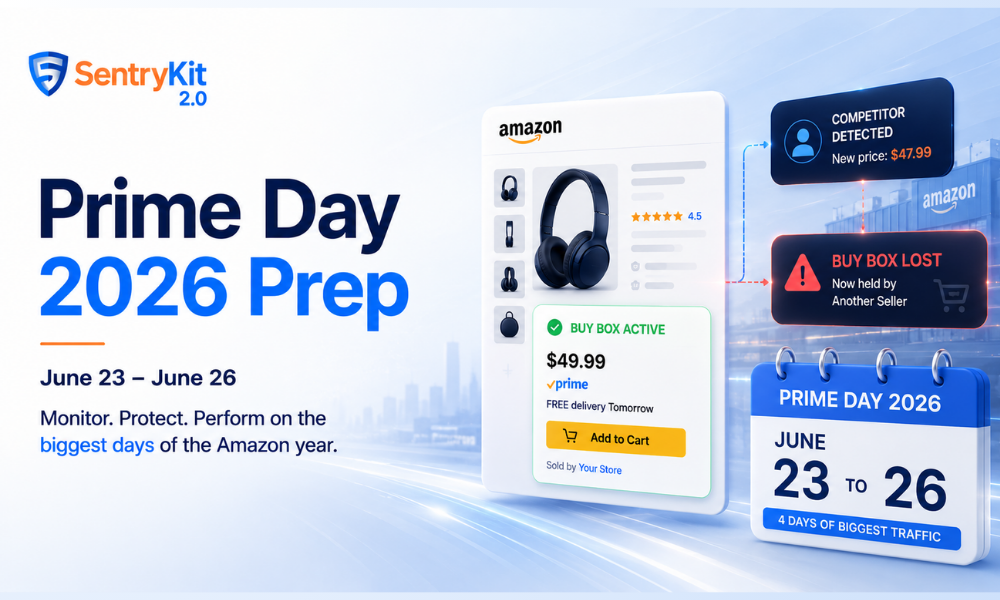
Prime Day 2026 is confirmed: June 23 to June 26. Early deals are already live. You have three weeks.
Most of that time shouldn’t be spent optimising listings. It should be spent making sure nothing goes wrong during the four highest-traffic days of the Amazon year — because problems that take an hour to fix in February take a day to recover from in June.
Here’s what to do, what to leave alone, and what to have in place before June 23.
Reading this in October? Prime Big Deal Days 2026 runs October 6–7. Deal submissions for it have closed, so the prep list is different. Here is what sellers can still fix before Prime Big Deal Days 2026.
Two factors drove the timing. First, an earlier Prime Day improves Amazon’s Q2 earnings report — pulling the event forward captures more revenue in the quarter, a pattern Marketplace Pulse has tracked across multiple Prime Day cycles. Second, the dates avoid the biggest World Cup matches, which fall in late July. Amazon doesn’t compete with events it can’t control.
For sellers: if you were planning to prep closer to mid-July, move that timeline forward now.
1. Audit every listing for suppression.
A suppressed listing has no Buy Box. During Prime Day, that means no sales and no deal eligibility — regardless of how good your deal is. Suppression can happen quietly: a pricing policy flag, an image dimension issue, a content violation from a listing edit weeks ago. Pull your inactive listing report in Seller Central and resolve anything in a suppressed state now, while there’s time to fix it properly.
If you want to know the moment a suppression appears between now and June 26 — not just when you happen to check — SentryKit sends a Listing Suppressed alert in real time. Catching a suppression at 7 AM on June 24 is a very different situation from finding out at 2 PM.
2. Confirm all your deals are approved and active.
Deal submission windows have closed for most categories, but approval status can still change. Log into Seller Central and verify each submitted deal — Lightning Deal, Best Deal, or coupon — is showing as approved and scheduled correctly. A deal that doesn’t activate on June 23 is a missed window that won’t reopen.
3. Check your FBA inventory and any MCF backup.
Stock-outs during Prime Day compound. You lose the sale, lose the Buy Box, and lose rank recovery momentum that can take weeks to rebuild. Run your in-stock report against realistic Prime Day demand — not just your average daily sales — and confirm any Multi-Channel Fulfillment backup inventory is ready to deploy if you need it. Amazon’s FBA inventory management guide covers the replenishment tools available in Seller Central.
4. Set PPC budgets before June 23, not during.
Campaigns that hit their daily budget cap at 10 AM stop showing. They don’t restart automatically. The standard move is to increase budgets 3–5x for the event period and set budget rules now so the adjustment happens without manual intervention during live Prime Day traffic. Helium 10’s Prime Day analysis confirms that campaigns hitting daily caps before noon account for the majority of lost Prime Day ad impressions.
5. Check your hijacker exposure.
Prime Day is the most attractive window of the year for unauthorised sellers. Higher traffic means higher incentive to piggyback on established listings. A hijacker appearing on your listing on June 24 doesn’t just take your sales — they can undercut your deal price, erode your brand, and disqualify your promotions.
Check the “Other Sellers on Amazon” section on your key ASINs now to see who’s already there. SentryKit fires a Hijacker Detected alert the moment an unauthorised seller appears — a hijacker who shows up at 9 AM and isn’t caught until 6 PM has had nine hours of your Prime Day traffic.
Don’t edit your listing content in the two weeks before Prime Day.
This is the advice sellers push back on most — and it’s the right call. Any edit you make now is unlikely to meaningfully move sales, but it can trigger a content review period, a brief suppression window, or a deal eligibility flag. Your listing is probably good enough. The upside of a new hero image or a refreshed title right now is marginal. The downside is real and poorly timed.
Save listing optimisations for after June 26. Run them as post-event tests when the stakes are lower. Jungle Scout’s seller survey data consistently shows listing edits in the 10 days before Prime Day as one of the leading self-inflicted causes of deal suppression.
Don’t adjust pricing the day before.
Price changes close to the event can affect deal eligibility and your reference price calculation. If you need to make a pricing change, do it now — three weeks out — or wait until after Prime Day.
The “do nothing” advice only works if you’re confident that when something goes wrong, you’ll find out immediately. Without real-time monitoring, “doing nothing” means not discovering a problem until you check manually — and during Prime Day, that could be hours after it started.
Four things go wrong most often during Prime Day:
Every one of these is fixable — if you catch it fast. SentryKit monitors all four and alerts you in real time via email, SMS, or Slack. During a four-day window where every hour counts, that’s not a nice-to-have.
Before June 23, run through this list:
Prime Day 2026 runs June 23–26. Early deals are already live ahead of the official start. It’s earlier than most sellers expected — Amazon moved the dates forward to improve Q2 earnings and avoid the World Cup window.
The highest-impact actions: audit listings for suppression, confirm deals are approved, verify FBA stock levels, set PPC budgets before the event starts, and check your key ASINs for existing hijacker exposure. The one thing sellers most commonly skip is real-time monitoring — without it, you find out about problems when you check, not when they happen.
No. Any content change in the two weeks before Prime Day risks triggering a review window or deal eligibility issue. The upside is marginal; the downside is badly timed. Wait until after June 26.
Seller Central flags inactive listings, but only when you check. A real-time monitoring tool like SentryKit sends a Listing Suppressed alert the moment it happens — so you can act within minutes rather than discovering it hours into the event.

Nisha Shetty · Marketing Manager, SentryKit
Nisha is a marketing manager and former Amazon seller who writes about e-commerce growth, consumer behavior, and digital retail trends.