
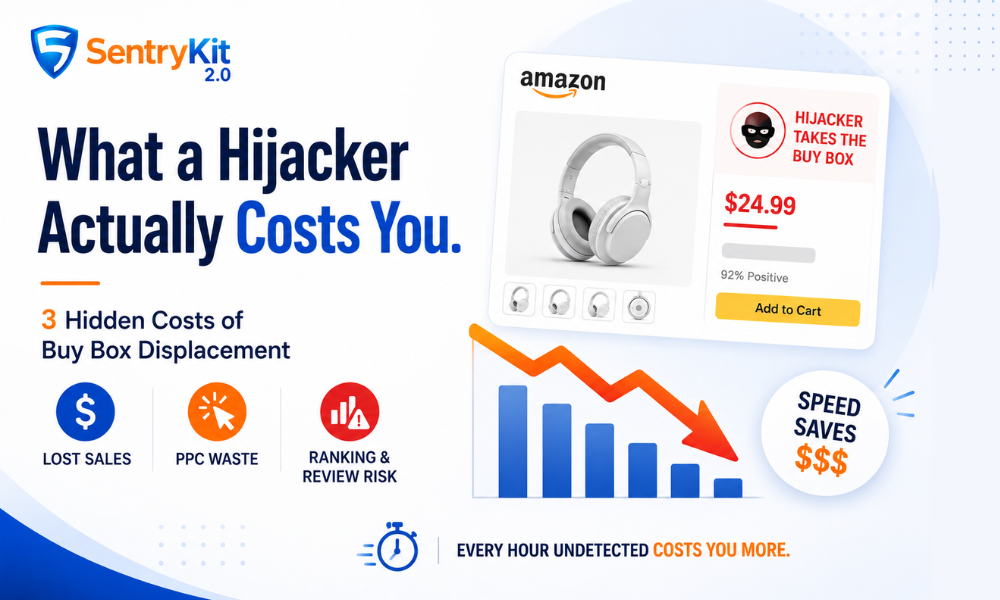
A hijacker hits your listing. You remove them. You tell yourself you caught it in time.
Most sellers do this math wrong — and it costs them more than they realize until they look back at the numbers. The lost sales are obvious. What’s not obvious is that lost sales are the smallest part of the damage.
Here’s the formula I’d run on my own ASINs.
Most sellers estimate hijacker damage by counting one thing: sales they didn’t make while the unauthorized seller held the Buy Box. That’s the most visible number. It’s also the smallest.
The real cost of a Buy Box displacement event has three components. I’ve watched sellers — good operators, not beginners — get blindsided by Components 2 and 3 because they only budgeted for Component 1. The damage always feels worse in retrospect than they expected. That’s not bad luck. That’s incomplete math.
According to Marketplace Pulse data on Buy Box dynamics, the Buy Box controls the vast majority of Amazon purchases — making whoever holds it the default seller for nearly every transaction. When an unauthorized seller undercuts your price and captures it, they don’t just capture your revenue. They capture it while your PPC campaigns keep spending, and while your listing’s performance signals quietly deteriorate. Three separate buckets. They compound.
Each component is real, measurable, and runs simultaneously the moment a hijacker takes your Buy Box. Here’s how to think about each one.
This is the one everyone counts. It’s still worth formalizing.
Formula:
(Daily revenue at 100% Buy Box) × (% of sessions hijacker held) × (number of days before detection)
In an illustrative scenario: you have an ASIN doing $500/day in revenue. A hijacker undercuts your price slightly, captures 40% of Buy Box sessions, and goes undetected for three days. That’s:
$500 × 0.40 × 3 = $600 in direct revenue loss
That’s Component 1. On its own, it looks manageable. It doesn’t stay on its own.
This one stings. Your Sponsored Products campaigns are still running. You’re still paying for clicks. But when buyers click through and the hijacker holds the Buy Box, your conversion rate craters — because the offer they see at the point of purchase isn’t yours.
You’re paying to drive traffic to someone else’s listing.
Formula:
(Daily PPC spend on the ASIN) × (% of sessions hijacker held) × (number of days before detection)
Continuing the same illustrative scenario: $150/day in PPC spend, hijacker holds 40% of Buy Box sessions for three days:
$150 × 0.40 × 3 = $180 in PPC waste
I’ve seen wholesale sellers get burned by Component 2 specifically. They’ll run an aggressive campaign during a sales event, a hijacker surfaces, and by the time anyone notices, they’ve spent hundreds in ads that converted at half their normal rate — or worse. The PPC spend keeps flowing regardless of what’s happening with the Buy Box. The ad platform doesn’t know. It doesn’t care.
This one doesn’t fit into a formula. It’s a multiplier on everything above.
When a hijacker holds your Buy Box:
None of this is quantifiable in real time. That’s exactly the point. Treat Component 3 as a multiplier on Components 1 and 2 — the longer the detection window, the higher that multiplier gets. And unlike the first two components, some of this damage doesn’t reverse when the hijacker is gone.
Here’s where it gets interesting. The formula above isn’t primarily about measuring damage after the fact. It’s about measuring the value of speed.
Hour-1 detection: SentryKit’s Hijacker Detected alert fires immediately, you respond within the first hour. You’re mostly dealing with Component 1 — a handful of lost sales, minimal PPC waste. No ranking signals have degraded. No reviews have accumulated. The event is a nuisance.
Day-3 detection: All three components are now active. Direct revenue loss is real. PPC waste is compounding. Ranking signals have degraded. If any reviews came in from the hijacker’s inventory, they’re sitting on your listing permanently.
The math makes the point clearly. In the illustrative $500/day scenario above:
| Detection timing | Component 1 | Component 2 | Component 3 | Estimated floor |
|---|---|---|---|---|
| Hour 1 | ~$17 | ~$5 | Minimal | ~$22+ |
| Day 1 | ~$200 | ~$60 | Possible | ~$260+ |
| Day 3 | ~$600 | ~$180 | Active | ~$780+ |
All figures are illustrative.
The cost didn’t change because the hijacker got worse. It changed because the detection window stretched. The hijacker’s behavior is constant — the only variable you control is how fast you know.
Most guides stop here. They shouldn’t.
You don’t need a spreadsheet. You need three numbers from your Seller Central dashboard:
Then:
Total floor cost per day of detection delay =
(Daily revenue × hijacker Buy Box %) + (Daily PPC spend × hijacker Buy Box %)
Multiply by detection days.
For a $300/day ASIN with $80/day in PPC, a hijacker at 40% Buy Box share costs you roughly $152/day in measurable losses — before any ranking or review risk.
Run that on your top five ASINs. Now ask yourself: how quickly would you know if a hijacker appeared on each one right now?
If the answer is “I’d check tomorrow” or “I’m not sure,” that gap is what this math is measuring.
Understanding how hijackers operate — undercutting strategies, counterfeit sourcing, account hopping — adds useful context to why they’re hard to catch manually. Prime Day is the highest-risk window for hijackers, which means your exposure on the highest-volume days of the year is also your highest-stakes detection window.
Once you’ve run this math, the next question is what to do when you actually find one. The first formal step is Amazon’s process for reporting an unauthorised seller, which initiates an investigation through Brand Registry or the standard report flow. Our guide on how to remove a hijacker once detected covers the step-by-step process — cease and desist, brand registry reporting, and escalation paths. For building a monitoring setup across your full catalog, the full brand protection stack gives a broader view of what tools belong in that stack.
SentryKit’s Hijacker Detected alert fires the moment an unauthorized seller appears on your listing — not at the next dashboard check, not the next morning. The formula above shows exactly what each hour of detection delay costs. That’s the value of real-time alerting in plain numbers.
One important distinction: if you see the Buy Box Lost alert instead, that’s a different situation — a legitimate competitor is winning the Buy Box on price or metrics, not a hijacker. And Listing Suppressed means the Buy Box is gone entirely, which requires a different fix. These are separate alerts for separate problems. Don’t conflate them.
Amazon’s April 2026 Brand Protection Report documented 15 million counterfeit products seized and over 32,000 bad actors removed from the platform. For individual sellers, the hijacking problem doesn’t arrive at scale. It arrives one ASIN at a time, on a Tuesday, when you’re not watching.
See if anyone’s on your listings right now. SentryKit is a Buy Box intelligence platform starting at $19/month — start your 30-day free trial.
It depends on your ASIN’s daily revenue, your PPC spend, and how much of the Buy Box the hijacker captures. In an illustrative scenario — a $500/day ASIN with $150/day in PPC and a hijacker holding 40% of Buy Box sessions — the measurable daily cost is around $260 (direct revenue loss plus PPC waste), before any ranking or review impact. Run the formula against your own numbers: (daily revenue + daily PPC spend) × hijacker Buy Box % = daily floor cost.
No. Amazon does not reimburse sellers for revenue lost during a hijacking event. Brand Registry, IP complaints, and cease-and-desist letters can accelerate removal of an unauthorized seller, but the revenue lost during the detection window is not recoverable. The only lever sellers control is how fast they detect and act.
The fastest documented path is: (1) submit a cease and desist directly to the seller, (2) file a Brand Registry IP complaint if you’re brand registered, and (3) use Amazon’s “Report a Violation” tool to flag the unauthorized listing. For counterfeit concerns, Project Zero’s self-service removal tool can act within hours if you have brand enrollment. A full walkthrough is in our guide on how to remove a hijacker once detected.
Go to your Amazon listing and scroll to the “Other Sellers on Amazon” section. If you see a seller you don’t recognise offering the same product — especially at a lower price — that’s a potential hijacker. The fastest way to confirm is to check the seller’s storefront: a legitimate reseller will have history and reviews; a hijacker typically has a thin or brand-new account.
Yes. When a hijacker sells from your listing, buyers associate the purchase with your product. If the hijacker ships counterfeits, wrong items, or nothing at all, the negative reviews can land on your ASIN — not the hijacker’s account. This is one of the non-financial costs that makes rapid detection critical.
A Buy Box loss means a legitimate competitor — a reseller you know about, or another authorised seller — has taken the Buy Box by offering a better price or fulfilment terms. A hijacker is an unauthorised seller who has no right to sell your product. The fix is completely different: a Buy Box loss is a pricing or fulfilment problem; a hijacker requires a cease-and-desist, an IP complaint, or a Brand Registry enforcement action.

Raghav Tiwari · Co-founder, SentryKit
Raghav is co-founder of SentryKit and a former Amazon seller. He writes about Buy Box dynamics, brand protection, and the data behind marketplace competition.