
- Raghav Tiwari
How to Monitor Amazon Competitor Prices in Real Time
Table of Content
Subscribe for Offers & Amazon Selling Insights
Every Amazon seller has experienced it: you check your sales at the end of the day and something is off. Traffic looks fine, but conversions are down. You dig in and find a competitor has been undercutting your price for hours — and you’re no longer in the Buy Box.
By then, the damage is done.
Real-time competitor price monitoring changes the equation. Instead of finding out after the fact, you know when a competitor’s price changes — and you can decide how to respond before Buy Box share is lost.
What Is Amazon Competitor Price Monitoring?
Competitor price monitoring on Amazon means tracking the prices that other sellers set on the same ASIN as yours — in real time, not on a delayed dashboard.
On any given ASIN, multiple sellers can compete simultaneously. Each one is trying to win the Buy Box — the purchase button that drives the vast majority of conversions. Price is one of the strongest signals Amazon uses to award it.
Monitoring competitor prices gives you the visibility to understand why your Buy Box win rate changes — and when to act.
Why Competitor Prices Change So Frequently
Prices on Amazon move fast. A single ASIN can see dozens of price changes in a day, driven by:
- Repricers — automated tools that adjust prices in response to competitor moves
- Manual repricing — sellers reacting to sales data or margin targets
- FBA fee changes — adjustments that compress margins and force repricing
- Promotions — time-limited discounts that temporarily shift competitive dynamics
Because many sellers use repricers, price changes can cascade quickly. One seller drops by $0.50; three others follow within minutes. If you’re watching manually, you’ve already missed the window.
The Problem With Manual Price Checking
The typical seller approach: check Seller Central periodically, look at competitor listings when sales dip, maybe export a report.
This fails for three reasons:
- It’s reactive. By the time you notice a price shift, you’ve already lost Buy Box time — and the revenue that came with it.
- It’s incomplete. You can see the current price, but not the sequence of changes that led to it.
- It doesn’t scale. If you manage more than a handful of ASINs, manual monitoring is practically impossible.
The gap between when a competitor changes their price and when you find out is where Buy Box share is lost.
What Real-Time Monitoring Actually Looks Like
Real-time monitoring means receiving a signal within seconds or minutes of a competitor price change — not hours or days.
What this looks like in practice:
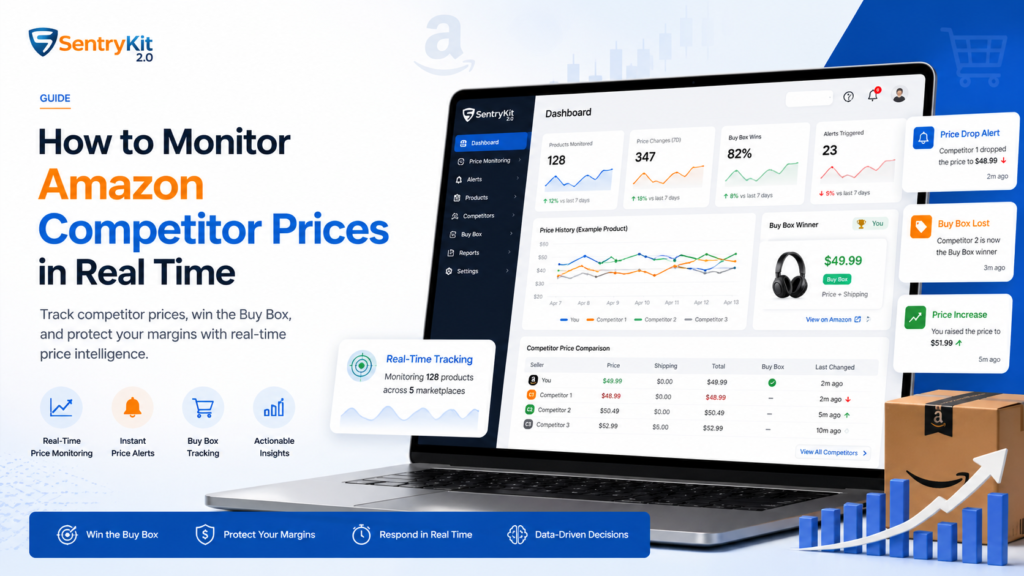
- A Competitor Price Change alert fires the moment another seller on your ASIN adjusts their price
- The alert includes: who changed, what their new price is, whether they’re FBA or FBM, and whether they hold the Buy Box
- You can evaluate whether the change threatens your Buy Box position — and respond on your terms
The key difference: you’re informed before your Buy Box win rate drops, not after.
Which Price Signals Matter Most
Not every price change warrants a response. The signals that actually matter are:
- Buy Box holder price — the price of whoever currently holds the Buy Box. This is your most direct competitive benchmark.
- FBA vs. FBM — Amazon weights FBA sellers higher. An FBM seller undercutting you by $2 may not threaten your Buy Box. An FBA seller undercutting you by $0.50 might.
- New seller entering — a new competitor appearing on your ASIN is often a signal worth watching, especially if their price is aggressive.
- Price floor proximity — if a competitor’s price is near your cost floor, that’s a different decision than if they’re well above it.
Monitoring everything equally creates noise. Monitoring the right signals creates actionable intelligence.
How to Use Price Data to Protect Your Buy Box
Price data is only useful if it informs a decision. Here’s how to use competitor price signals to protect your Buy Box:
- Set a response threshold. Not every $0.10 move needs a response. Know your margin floor and decide in advance what price drop triggers action.
- Factor in fulfillment type. If you’re FBA and a competitor is FBM, Amazon’s algorithm often favors you even at a slightly higher price. Don’t race to match a price that isn’t actually threatening your position.
- Watch patterns, not just moments. A competitor who drops price every Friday afternoon is telling you something about their strategy. Pattern recognition matters more than reacting to individual changes.
- Keep a price floor. Selling below your landed cost to hold the Buy Box is a losing trade. Know your floor and hold it.
The goal isn’t to match every competitor move — it’s to make informed, margin-aware decisions faster than competitors who aren’t watching.
Conclusion
Competitor pricing on Amazon moves fast. Manual checking can’t keep pace with the speed at which prices shift, Buy Box positions change, and revenue is won or lost.
Real-time monitoring gives you the signal before the damage happens — so decisions are made on your terms, with your margins in mind, not as damage control after the fact.
The sellers who protect Buy Box share consistently aren’t the ones with the lowest prices. They’re the ones who respond to the right signals, at the right time, with a clear strategy.
Frequently Asked Questions
How often do Amazon competitor prices change?
It varies by category and competition level, but actively competed ASINs can see dozens of price changes per day — especially when sellers use automated repricing tools.
Can I see who is undercutting me on my ASIN?
Yes. Real-time monitoring tools like SentryKit show you which seller changed their price, what their new price is, and whether they hold the Buy Box — so you know exactly who to watch.
Does price monitoring require a repricer?
No. Price monitoring and repricing are separate things. Monitoring tells you what’s happening. Repricing is an automated response. You can monitor competitor prices and make manual, deliberate decisions without any automation.
What's the difference between a price alert and automated repricing?
A price alert notifies you when a competitor’s price changes, so you can decide how to respond. Automated repricing changes your price automatically based on rules. Alerts give you control; autopilot removes it.
How quickly should I respond to a competitor price change?
It depends on the signal. A Buy Box-threatening price change from an FBA competitor warrants a fast response. A small move from an FBM seller far from the Buy Box may not need one at all. Speed matters less than having a clear decision framework.

Nisha Shetty · Marketing Manager, SentryKit
Nisha is a marketing manager and former Amazon seller who writes about e-commerce growth, consumer behavior, and digital retail trends.