
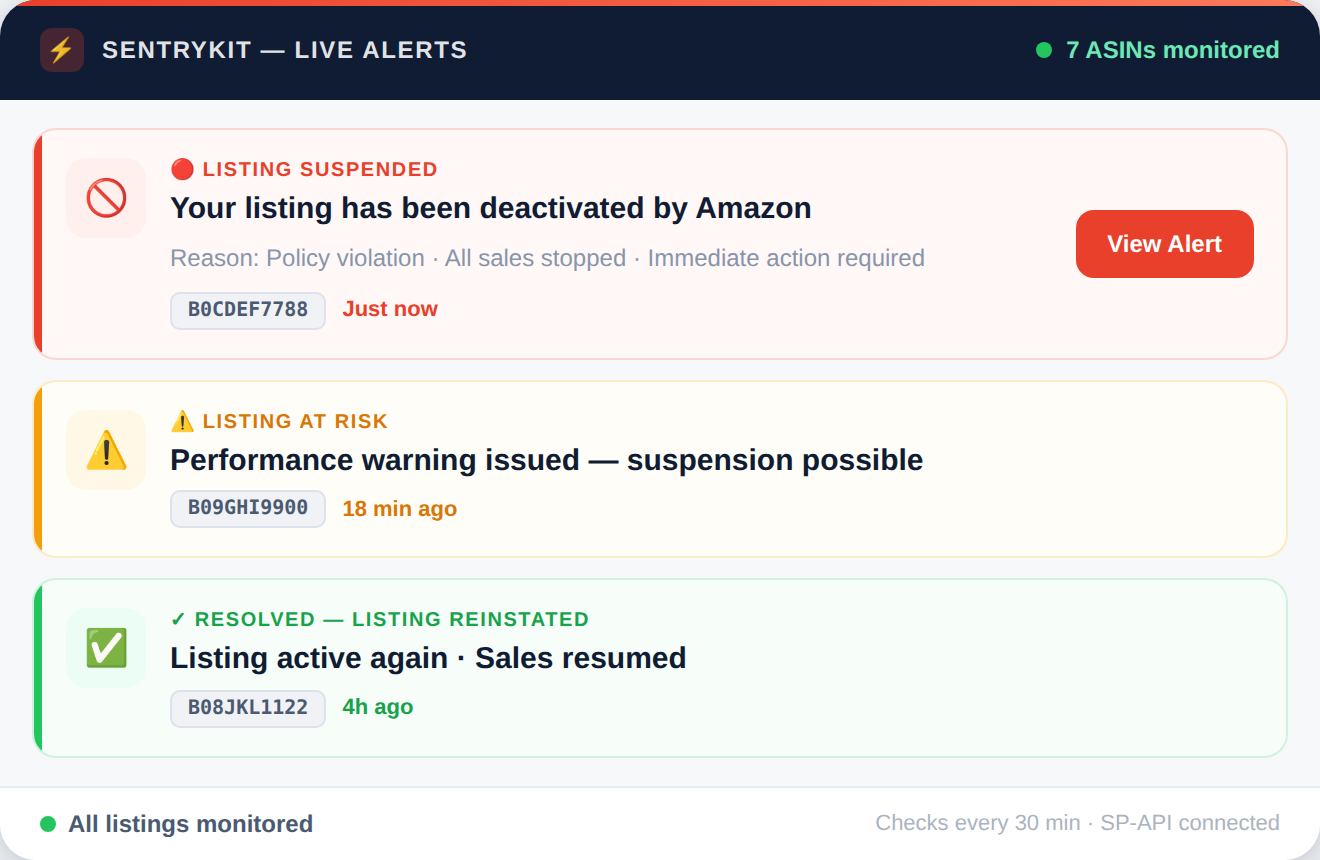
A suspended listing generates zero sales until it's reinstated. SentryKit monitors the active status of every tracked ASIN and alerts you within 30 minutes of a suspension or deactivation - giving you the fastest possible recovery window.
hours is the average time sellers lose before detecting a listing suspension without real-time monitoring - often only discovered through a revenue anomaly
SentryKit alert time — fix problems before most sellers even notice
Continuous monitoring — because Amazon listing issues don’t wait for business hours.
….. what SentryKit does
The short version — what it monitors, what it sends, and why it matters
SentryKit connects to your Amazon account via SP-API and continuously monitors the listing status of every tracked ASIN. When a listing is suspended, deactivated, or removed - for any reason - you receive an email alert within 30 minutes. Each alert includes the ASIN, suspension type where available, and the exact timestamp. SentryKit also logs reinstatement events, so you can confirm a listing is restored to active status after filing an appeal - without relying on manual rechecks throughout the day.
It monitors and alerts — giving you the early detection and evidence you need to act before revenue is lost.
….. the problem
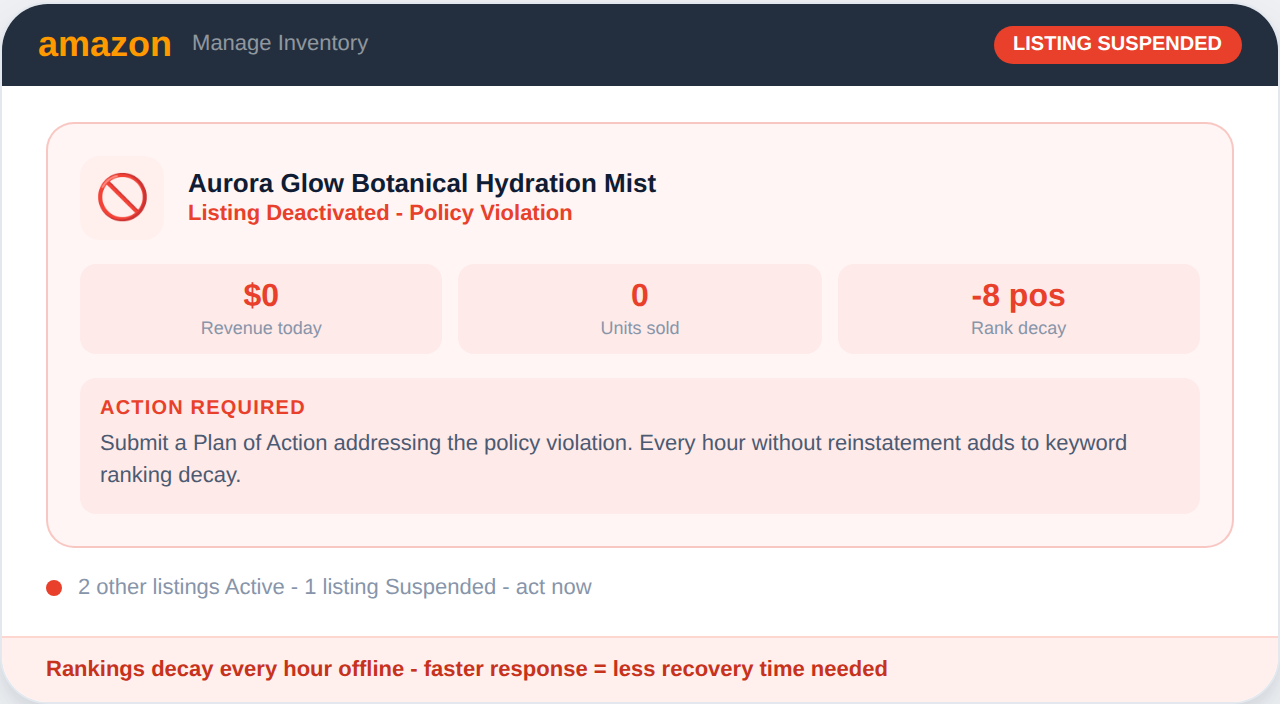
Amazon listing suspensions stop all sales immediately. Unlike a Buy Box loss - where traffic still reaches the listing - a suspended listing is either invisible in search or displays no purchase option. Organic ranking begins to decay within hours as sales velocity drops to zero. Suspensions are triggered by multiple causes: a competitor's IP infringement complaint, a policy violation flag, a product safety alert, account performance thresholds, or a catalog error. Amazon notifies sellers via email, but those emails are often delayed, filtered as spam, or missed during busy periods. For sellers managing large catalogs, a single suspended ASIN may go undetected for days - especially if that product is not a top seller and daily revenue monitoring doesn't isolate the source of the decline.
Sellers managing catalogs of 50 or more ASINs report an average detection lag of 2-3 days for listing suspensions - during which the affected product generates zero revenue and loses organic ranking that may take weeks to recover.
Set up in 5 minutes. Monitor unlimited ASINs.
Get a Suspended Listings instantly — not hours later when you finally open Seller Central.
….. how to fix it
These are the steps sellers follow to appeal a suspension and restore a listing. SentryKit tells you the moment the suspension occurs so the appeal process starts immediately.
Check your Seller Central Performance Notifications and email inbox for the Amazon suspension notice. The reason is always specified - IP complaint, product safety issue, policy violation, or account performance. Understanding the exact cause determines which appeal process to follow.
Compile invoices, product compliance certificates, authenticity documentation, or policy acknowledgment as relevant to the suspension type. Use the SentryKit suspension timestamp as a reference point for your timeline documentation. Appeals with complete evidence packages have significantly higher reinstatement rates.
Submit through Seller Central's Performance Appeals process or via the relevant Amazon program. Monitor SentryKit for a reinstatement status change so you know the moment your listing goes back to active - without checking Seller Central manually throughout the day.
….. why SentryKit
Without real-time monitoring, listing suspensions are often discovered during revenue reviews rather than at the moment of deactivation. SentryKit closes that gap.
SentryKit monitors listing status continuously and sends an alert within 30 minutes of any deactivation event. This is typically faster than Amazon's own notification emails and faster than any manual check cadence a seller can realistically maintain.
Each alert includes the suspension type where available from Amazon's API - helping you immediately triage whether the issue requires an IP complaint response, a policy appeal, or a product compliance submission. Faster triage means faster reinstatement.
SentryKit alerts you when a previously suspended listing returns to active status. This confirms your appeal was successful without requiring repeated manual Seller Central checks throughout your appeal waiting period.
….. the comparison
For most FBA sellers, manual Seller Central checks are the only alternative.
Here’s what that actually looks like.
Capability
SentryKit Hijacker Alert
Manual Seller Central
Detection speed
Under 30 minutes
Hours or days — only when you check
Monitoring hours
24/7 including weekends & holidays
When you’re at your desk
Number of ASINs covered
Unlimited, automatically
One at a time, manually
Alert delivery
Instant email notification
None — you discover it yourself
Buy Box ownership data
Real-time per ASIN
Manual product page refresh
Historical seller logs
Full timestamped event history
Nothing retained automatically
Brand Registry documentation
Exportable event log
Nothing retained automatically
Works while you’re offline
Yes
No
“SentryKit caught issues I would have missed—saved me time and money instantly.“
David R., Amazon FBA Seller

“The alerts are spot-on and fast; I finally feel in control of my Amazon business.”
Priya K., Private Label Seller
“Switching to SentryKit was the best decision—my listings are safer and my profits clearer.”
Mark T., 7-Figure Seller
Set up in 5 minutes. Monitor unlimited ASINs.
….. all alerts
Each alert protects a different part of your Amazon business. Most sellers activate all of them on day one.
A listing suspension alert is triggered when a monitored ASIN's status changes from active to suspended, deactivated, or removed. It includes the ASIN, suspension type where available, and the exact timestamp - so your appeal window begins immediately rather than hours after the deactivation occurs.
Common suspension triggers include: IP infringement complaints filed by a competitor, product safety or compliance flags, account performance metrics falling below Amazon's thresholds, catalog errors or policy violations, and restricted product category violations. Each type requires a specific appeal process and evidence package.
Reinstatement timelines vary significantly. IP complaint removals can be resolved in 24-72 hours with strong documentation. Policy appeals typically take 5-10 business days. Product safety suspensions may require regulatory compliance documentation and can take several weeks. Early detection reduces the total revenue loss by starting the appeal immediately.
Amazon sends suspension notifications via email and Seller Central performance alerts. However, these notifications can be delayed, filtered as low priority, or missed during busy periods. For time-sensitive suspensions, SentryKit's real-time API-based detection is typically faster than waiting for Amazon's notification to be noticed.
Yes. A competitor can file an IP infringement complaint against your listing, triggering an automatic suspension while Amazon reviews the claim. These complaints can be filed without merit and still result in temporary deactivation. SentryKit detects the suspension immediately so you can begin the counter-notice process without delay.
SentryKit uses Amazon's SP-API to continuously monitor the active/inactive status of every tracked ASIN. When a status change is detected, an alert is sent within 30 minutes. Each event is logged with a timestamp, which can be referenced in appeal documentation. Reinstatement events are also tracked and confirmed via alert.