
The Amazon Best Seller badge is one of the highest-converting trust signals on the platform. Gaining it - or losing it to a competitor - can shift conversion rates significantly. SentryKit monitors Best Seller badge status on every tracked ASIN and alerts you within 30 minutes of any change.
average conversion rate increase observed on listings actively displaying the Amazon Best Seller badge versus equivalent listings without it in the same category
SentryKit alert time — fix problems before most sellers even notice
Continuous monitoring — because Amazon listing issues don’t wait for business hours.
….. what SentryKit does
The short version — what it monitors, what it sends, and why it matters
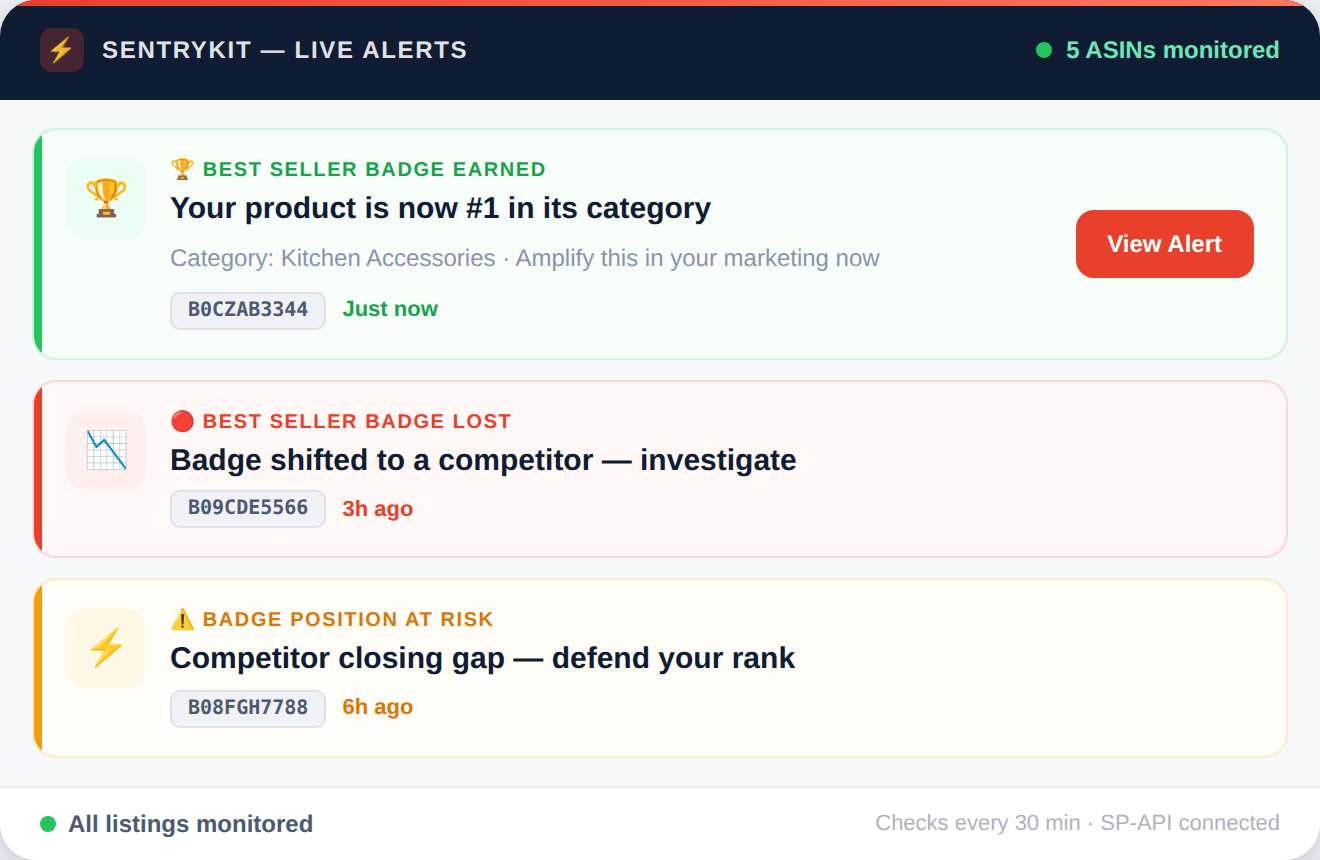
SentryKit connects to your Amazon account via SP-API and monitors Best Seller badge status on every tracked ASIN. When badge status changes - whether you've earned it or a competitor has taken it - you receive an email alert within 30 minutes with the ASIN, the badge category, and the direction of change. Every badge change event is logged with a timestamp, enabling sellers to correlate badge status with conversion data, advertising spend, and competitive activity - and to respond immediately when badge status shifts in a critical subcategory.
It monitors and alerts — giving you the early detection and evidence you need to act before revenue is lost.
….. the problem
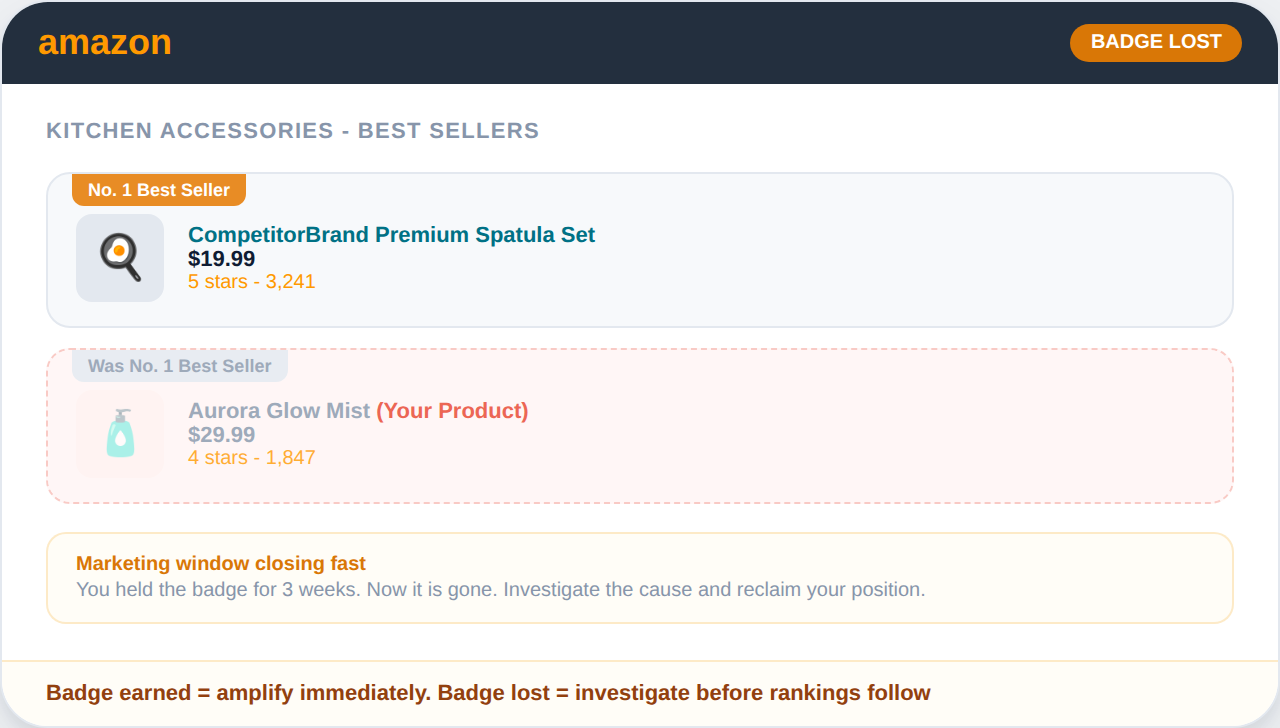
Amazon's Best Seller badge is awarded to the number 1 BSR product in a browse node. It displays prominently on the product tile in search results and on the product detail page. Buyers are measurably more likely to purchase a product displaying the badge over equivalent alternatives. Badge status changes continuously as BSR fluctuates. You can lose the badge during a sales velocity dip, a competitor running a heavy promotion, or a seasonal demand shift in your category - often without noticing because BSR rank is not prominently displayed in Seller Central dashboards. For sellers who have built their PPC strategy or listing copy around Best Seller status, losing the badge without knowing reduces the ROI of those investments. Knowing the moment you gain or lose the badge allows you to capitalize on it when you have it and respond when you lose it.
Sellers who gain the Best Seller badge in a competitive subcategory and respond within the hour - by increasing ad spend, promoting the badge on social channels, and maintaining price competitiveness - can extend badge retention significantly versus those who discover the change during a weekly review.
Set up in 5 minutes. Monitor unlimited ASINs.
Get a Best Seller Badge instantly — not hours later when you finally open Seller Central.
….. how to fix it
These are the steps sellers take to maximize badge retention and respond to badge loss. SentryKit gives you the real-time signal.
When SentryKit alerts you to a Best Seller badge gain, act immediately: increase PPC bids on relevant keywords to leverage the enhanced conversion rate, update your listing copy and social media to highlight the badge, and maintain competitive pricing to protect the sales velocity that earned the badge.
When you lose the badge, review your BSR trend for the period leading up to the loss. Identify whether the loss coincides with a sales velocity drop, a competitor promotion, or a subcategory restructuring by Amazon. Each cause has a different response.
If losing the Best Seller badge in your primary category is unavoidable due to intense competition, evaluate whether your product qualifies for a more specific subcategory where achieving number 1 BSR is more attainable. Badge optimization through subcategory selection is a legitimate and effective conversion strategy.
….. why SentryKit
Badge changes happen continuously and are invisible until you check your listing. SentryKit tells you the moment status changes.
SentryKit sends an alert within 30 minutes of any Best Seller badge status change on a tracked ASIN. Gain alerts let you immediately maximize the badge's conversion benefit. Loss alerts give you the window to diagnose and respond before the competitive disadvantage compounds.
Each alert specifies the browse node in which the badge was gained or lost. This allows sellers to understand exactly which competitive context changed - primary category, subcategory, or a specific niche node - enabling precise strategy adjustments.
Every badge status change is logged with a timestamp. This history helps sellers correlate badge periods with conversion rate, advertising performance, and revenue data - building a clear picture of the badge's financial impact on their specific product.
….. the comparison
For most FBA sellers, manual Seller Central checks are the only alternative.
Here’s what that actually looks like.
Capability
SentryKit Hijacker Alert
Manual Seller Central
Detection speed
Under 30 minutes
Hours or days — only when you check
Monitoring hours
24/7 including weekends & holidays
When you’re at your desk
Number of ASINs covered
Unlimited, automatically
One at a time, manually
Alert delivery
Instant email notification
None — you discover it yourself
Buy Box ownership data
Real-time per ASIN
Manual product page refresh
Historical seller logs
Full timestamped event history
Nothing retained automatically
Brand Registry documentation
Exportable event log
Nothing retained automatically
Works while you’re offline
Yes
No
“SentryKit caught issues I would have missed—saved me time and money instantly.“
David R., Amazon FBA Seller

“The alerts are spot-on and fast; I finally feel in control of my Amazon business.”
Priya K., Private Label Seller
“Switching to SentryKit was the best decision—my listings are safer and my profits clearer.”
Mark T., 7-Figure Seller
Set up in 5 minutes. Monitor unlimited ASINs.
….. all alerts
Each alert protects a different part of your Amazon business. Most sellers activate all of them on day one.
A Best Seller badge alert is triggered when a monitored ASIN gains or loses Amazon's Best Seller badge in any category or subcategory. The alert includes the ASIN, badge category, direction of change, and timestamp - so you can immediately capitalize on a badge gain or begin diagnosing a badge loss.
The Best Seller badge is awarded to the product with the highest BSR in a specific browse node at any given time. BSR is calculated based on recent sales velocity, with more recent sales weighted more heavily. Badge status updates hourly, meaning it can be gained and lost multiple times in a single day.
The badge itself doesn't directly drive sales - your BSR does. However, displaying the badge improves conversion rate because it's a visible trust signal in search results. Losing the badge can reduce click-through and conversion rates, which further reduces sales velocity and compounds the BSR decline.
Partially. Sellers can influence their category assignment through their product's browse node selection. Choosing a more specific subcategory where competition is lower makes it easier to achieve number 1 BSR and earn the badge. This is a legitimate optimization strategy, though the product must genuinely fit the chosen subcategory.
BSR updates continuously, and badge status follows BSR. In competitive categories, badge status can change multiple times per day. SentryKit monitors continuously and sends alerts within 30 minutes of any change - ensuring you're never behind on badge status during critical selling windows.
SentryKit uses Amazon's SP-API to track BSR and badge status on all monitored ASINs. When badge status changes in any category, an alert is sent within 30 minutes with the specific category and direction of change. A badge history log is maintained per ASIN for performance correlation and strategy analysis.