
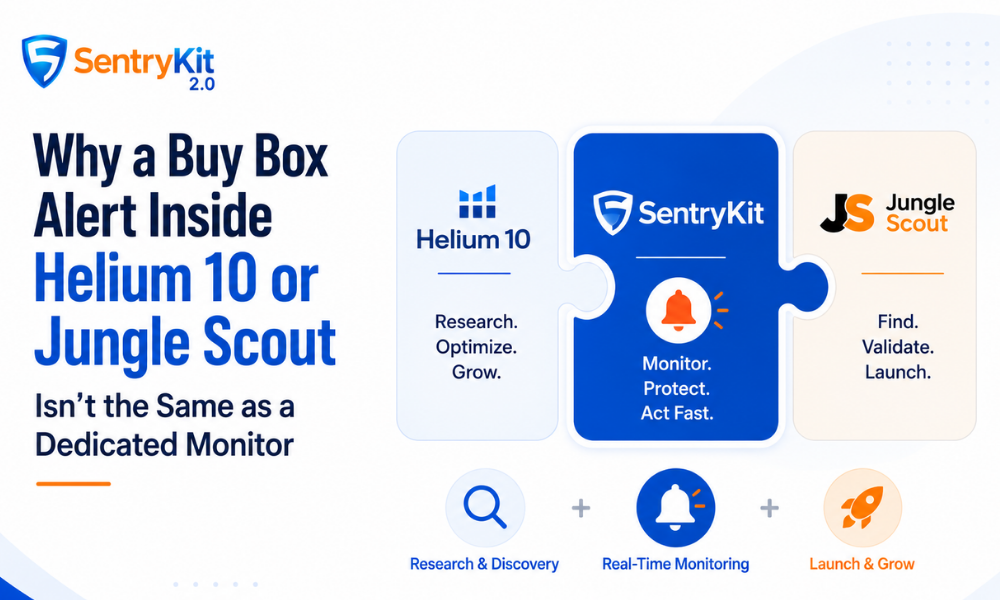
Helium 10 is one of the best keyword research and product discovery platforms for Amazon sellers — and its Buy Box alerts are not a monitoring tool. That’s not a criticism. It’s a product design reality, and it has direct consequences for how you should structure your stack.
The way I think about it: every software tool is built for something. The features that get deep investment are the ones that serve the core use case. Ancillary features get good enough to check a box — not good enough to replace a dedicated solution.
Helium 10’s core is research. Its Alerts feature reflects that exactly.
Helium 10’s team made the right call for their product. Resources went toward keyword research, product discovery, listing optimization — the things their core users pay for. The Alerts feature — Hijacker Detected, Buy Box Lost, Content Changed — is genuinely useful. But it’s built as a research supplement, not a protection layer.
That’s not a bug. That’s by design.
Jungle Scout follows the same pattern. Its core is product research and supplier sourcing. Buy Box monitoring sits at the edges. There’s no real-time Buy Box alerting in the product — because that’s not what Jungle Scout was built to do. I’ve never heard a serious Jungle Scout user argue otherwise.
When a feature isn’t the product’s reason for existing, you see it in the constraints.
Two things shifted in April 2026 that reveal a lot about how Helium 10 thinks about Alerts.
The Starter plan was removed. $129/mo is now the cheapest entry to H10’s alert coverage — the Platinum plan. Sellers who were on a lower tier primarily for alerts just had their cost floor raised substantially.
The Alerts feature is also capped at 5 ASINs lifetime on that plan. Not 5 active with the ability to swap. Not 5 per month. Five, total, confirmed on Helium 10’s pricing page as of April 2026. You can confirm both changes on Helium 10’s pricing page.
And the update frequency: Helium 10 Alerts checks for changes approximately every 4 days.
Think about what that means. You lose the Buy Box on Monday morning. You find out Friday. In that window, your organic ranking has slipped, your conversion rate has fallen, and a competitor has been capturing your sales velocity data for four days straight. The 90-second window is the whole game on Amazon. Four days is not a monitoring cadence — it’s a research cadence.
These constraints make complete sense for a research platform. Keyword data doesn’t need real-time pings. Product discovery doesn’t either. But Buy Box protection does. You can’t fix what you can’t see.
Below are three concrete ways the difference between a suite alert and a dedicated Amazon listing monitor shows up in practice.
Five ASINs isn’t coverage. It’s a sample. A focused seller with ten SKUs still has to decide which five “really matter” — and hope nothing goes wrong on the other five.
Dedicated monitoring tools are built around full catalog coverage as a first principle. The pricing model tells you what a tool thinks it’s selling — and when the pricing model is per-ASIN vs. per-order-volume, you can see whether monitoring is the product or a feature of the product.
Monitoring catches problems in the window where they’re recoverable. Auditing tells you what happened after the fact.
Both are useful. They solve completely different problems.
Real-time monitoring — or near-real-time — changes what you can actually do with the information. You can respond before the damage compounds. You can identify patterns in when and why you lose the Buy Box. That feedback loop doesn’t exist at a 4-day cadence. What you get instead is a historical record.
“Buy Box Lost” tells you something changed. Useful signal. But it doesn’t tell you who took the Buy Box, what price they’re winning at, what the gap is between your price and theirs, or what your fastest recovery path looks like. You still have to log in, investigate manually, and piece together what happened — often hours later.
According to Marketplace Pulse research on Buy Box concentration, the seller holding the Buy Box captures the overwhelming majority of purchases on any given listing. Most tools handle “something changed.” Almost none handle “here’s exactly what changed, who changed it, and here are your ranked recovery options.”
Suite alerts are built to surface anomalies. Dedicated monitoring is built to surface decisions.
For some sellers, Helium 10 Alerts is the right call — and I’d rather say that plainly than pretend otherwise.
Two or three hero ASINs. A stable catalog. A team that checks Seller Central manually every day regardless. In that setup, the 5-ASIN cap doesn’t bind you, and you’ll often catch issues before the alert fires anyway. The alert becomes a backup signal, not a primary one. That’s a legitimate use.
The use case where it falls short is specific:
Most serious sellers I’ve watched end up running both: Helium 10 for research and keyword tracking, a dedicated monitor for protection. They’re not redundant. They do different jobs — and the gap between them is exactly where revenue disappears.
SentryKit is built for the protection layer — Buy Box intelligence, not just alerts. That means who changed it, the exact price gap, and ranked recovery options. Full catalog coverage from day one, starting at $19/mo. The 30-day free trial requires no credit card.
No. Helium 10 Alerts checks for changes approximately every 4 days. That means a multi-day gap between a Buy Box change and your notification is expected — not exceptional. For sellers where Buy Box ownership directly drives revenue, this cadence is too slow for active protection.
As of April 2026, Helium 10 Alerts is capped at 5 ASINs lifetime on the Platinum plan ($129/mo) — now the cheapest plan that includes alert functionality after the Starter plan was removed. This is a hard lifetime cap, not 5 active with the ability to rotate.
Yes, and this is actually the most common setup among serious sellers. Helium 10 handles keyword research, product discovery, listing optimization, and competitive intelligence — things it does exceptionally well. A dedicated monitoring tool handles real-time Buy Box protection across your full catalog. They serve different parts of the business with no meaningful overlap.
As of 2026, Helium 10 Alerts updates approximately every 4 days — it is not a continuous or real-time check. For most product research and keyword tracking use cases, that cadence is fine. For listing protection, it means a hijacker could hold your Buy Box for up to four days before you get an alert. That gap is why serious sellers use a dedicated monitor alongside H10, not instead of it.
No. Jungle Scout’s monitoring features are designed around product research and sales estimation, not listing protection. It does not offer real-time Buy Box alerts or hijacker detection. If you are using Jungle Scout as your primary tool, you will need a dedicated monitor to catch Buy Box displacement events as they happen.
Three things: alert speed (real-time, not batched), coverage (no ASIN cap that limits your catalog), and intelligence depth (not just “something changed” but who changed it, what price they’re offering, and whether they’re FBA). A tool that tells you a competitor appeared is useful. A tool that tells you the competitor’s price gap and feedback score lets you act immediately.

Raghav Tiwari · Co-founder, SentryKit
Raghav is co-founder of SentryKit and a former Amazon seller. He writes about Buy Box strategy, seller operations, and competitive intelligence for Amazon brands and agencies.