
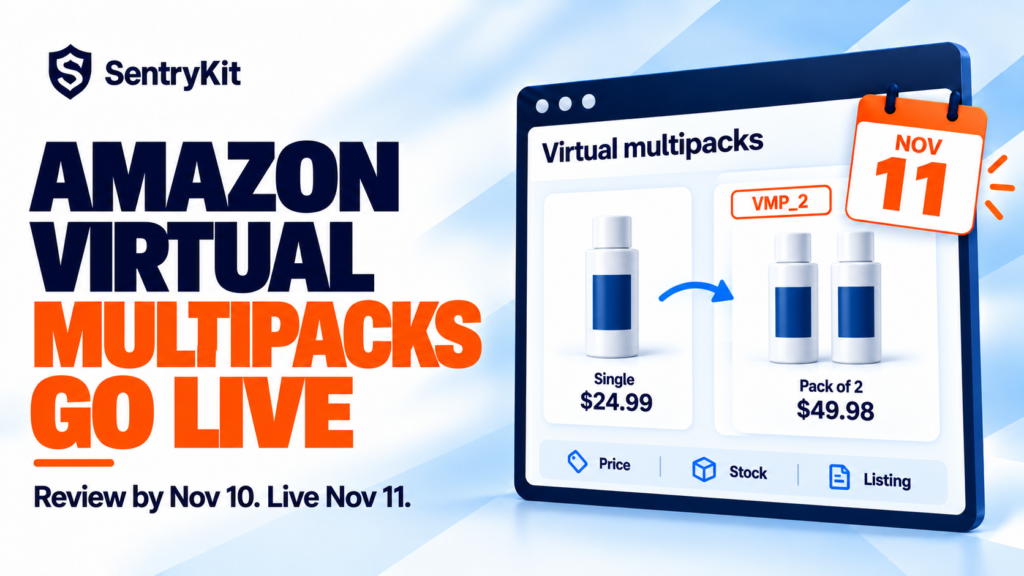
Amazon has built a new wave of virtual multipacks on brand-owned FBA listings. Each one has its own ASIN, a SKU that starts with VMP_, a “Pack of 2” style title and a price Amazon set. Anything you don’t edit or delete by November 10 goes on sale on November 11.
Check the price first. By default a virtual multipack costs your single-unit price times the pack size, and it moves every time your single price moves. Here’s what Amazon created, how to find it, and what to watch once it’s live during the busiest weeks of the year.
A virtual multipack bundles several units of one product into a single offer, with no repackaging. Amazon picks brand-owned FBA ASINs with strong multi-unit demand through an automated process. You can’t opt in, and there’s no switch to opt out (Novadata, My Amazon Guy). FBM offers aren’t included.
| Date | What happens |
|---|---|
| By October 28 | Amazon creates the multipack listings, with title, images and price filled in |
| October 28 to November 10 | You can review, edit or delete each one |
| November 11 | Everything left in place goes live for shoppers |
Each multipack shows up as a variation of the single-unit listing. If the product had no variation family, Amazon creates one, which changes how your detail page is grouped. It ships from the same FBA stock as the single unit.
This is the second round. We covered the July pilot when it launched. The difference now is timing: these go live two weeks before Black Friday.
A multipack’s price moves when your single-unit price moves. SentryKit emails you when the price on any of your ASINs changes, multipacks included, with the old price, the new price and who holds the Buy Box.
Make edits only on the Edit virtual multipack page. Changes made through flat files, other Seller Central pages or third-party tools can break the multipack listing (Novadata).
| Check | Keep it if | Edit or delete if |
|---|---|---|
| Price per unit vs MAP or wholesale terms | Per-unit price stays at or above your floor | Any discount takes the per-unit price below it |
| Margin on the pack | The pack still earns after referral and FBA fees | A discount wipes out the margin you need |
| Stock cover | You have the units to cover multi-unit orders in peak | Stock is already tight for singles |
| Pack size | Customers already buy that many at once | The size makes no sense. You can’t change it, so delete |
| Title and images | Accurate and on brand | Wrong claims or images: edit them |
Two rules decide most of this. Pack size can’t be changed after Amazon creates the listing. And a deleted multipack can’t be brought back during the pilot (Novadata). Amazon’s own Virtual multipacks help page sits behind the Seller Central login.
One counterintuitive point: deleting isn’t the safe default. A 2-pack that fits how people already buy can lift order value in December. The risk isn’t having a multipack. It’s having one nobody looked at.
Say your single unit sells at $24.99. The 2-pack defaults to $49.98. Add a 10% multipack-only discount and it lands at $44.98, or $22.49 a unit. If your MAP is $23.99, the multipack is now below it. Then your repricer drops the single to $22.00 for Black Friday, and the 2-pack follows it down again.
My Amazon Guy flags the same MAP and wholesale conflict. Brands with authorised resellers will hear about it from those resellers first.
Skip the manual check: checking every multipack price by hand after each repricer move isn’t realistic in November. SentryKit’s Price Change alert emails you when the price on one of your ASINs changes, with the old price, the new price and whether you still hold the Buy Box.
A 3-pack order takes three units from the same FBA pool your single sells from. Your sales report counts it as one order. Your inventory counts it as three. In peak that gap is how a best-seller runs out a week early.
Skip the manual check: the FBA Stock alert fires when fulfillable stock hits the threshold you set per ASIN, and shows inbound status and estimated days of cover.
Amazon generated the multipack’s title and image set, and it can keep changing them. It may also have created a variation family your single ASIN didn’t have, which changes how your detail page looks.
Skip the manual check: the Listing Change alert shows before and after for every field, from title and images to brand and back-end attributes. The Parent Product Change alert tells you when a child ASIN joins or leaves your variation family.
SentryKit picks up new multipack ASINs on your connected account automatically, so from November 11 they get the same price, stock and listing alerts as the rest of your catalog. Plans start at $19/month with a 14-day free trial. See pricing, or see how it works for private label brands.
Peak fees and deal deadlines are landing the same weeks. Our peak season guide and the post on Black Friday deals that stop running cover the rest.
Amazon built these listings for you. Whether they earn anything from November 11 depends on the ten minutes you spend on them this week.
Know when a multipack’s price, stock or listing changes
SentryKit watches 50+ signals on your ASINs, from price and stock to listing content and Buy Box, and emails you when one changes. Plans from $19/mo.
Start 14-day free trialRelated alerts
There’s no opt-out setting. Amazon selects ASINs automatically. You can edit or delete each multipack, but a deleted one can’t be reactivated during the pilot.
Amazon created the new wave by October 28, 2026. Sellers can review, edit or delete them until November 10, and the rest go on sale on November 11.
By default it’s your single-unit price times the pack size, and it follows your single-unit price when that changes. You can set a discount that applies only to the multipack.
No. It ships from the same FBA inventory as the single unit, so each multipack order takes several units from that stock.
It can. Check the per-unit price after any multipack discount and after your repricer moves the single-unit price. If it falls below MAP, edit the price or delete the multipack.

Raghav Tiwari · Founder, SentryKit
Raghav is the founder of SentryKit. He spent years running his own Amazon storefronts before building it, and writes about Buy Box strategy, competitive intelligence, and the platform shifts sellers can’t afford to miss.