
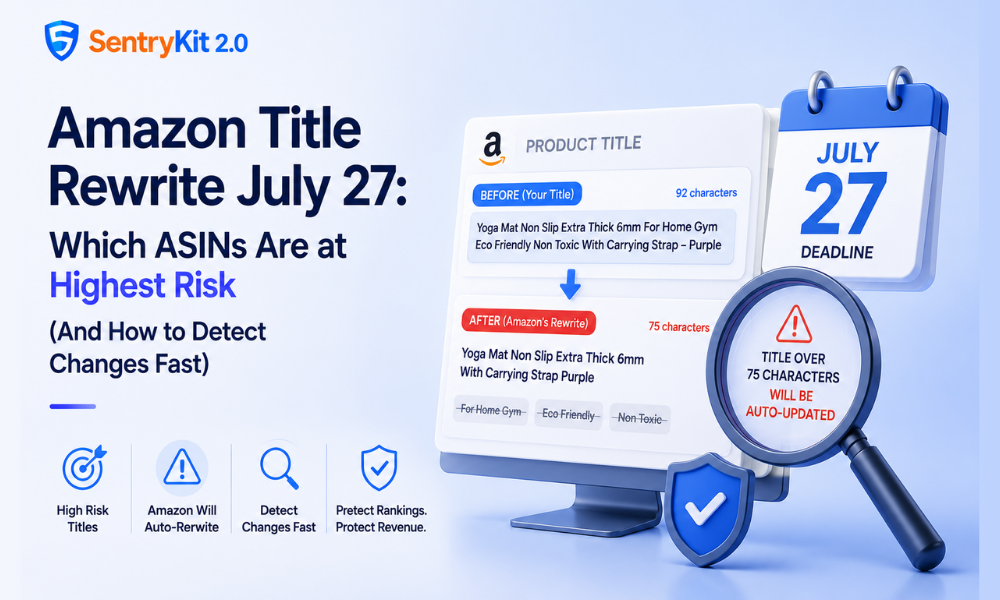
Starting July 27, Amazon automatically rewrites any product title over 75 characters — no approval required, no notification sent. The updated version goes live on your listing the moment Amazon processes it.
Most sellers know the deadline is coming. What’s less understood is what Amazon’s truncation logic does to specific title structures — and why some titles survive the rewrite intact while others lose the exact phrases that drive search visibility and AI shopping agent recommendations.
This post covers which title types are most exposed to damaging rewrites, why the keyword damage matters beyond the character count, and how to track what actually changes on your listings after July 27.
Need the full pre-deadline audit walkthrough? See our earlier guide on the July 27 title character limit. This post picks up where that one ends.
Here’s what catches most sellers off guard: Amazon’s enforcement doesn’t preserve your first 75 characters and drop everything after that.
According to Amazon’s official product title requirements, any title over 75 characters will be updated starting July 27 using an AI recommendation. The problem is that “readable” and “keyword-optimal” are not the same thing.
When a title exceeds 75 characters, Amazon’s enforcement typically removes special characters, pipe symbols, and excessive punctuation first — then strips content it identifies as non-core. That’s often the qualifier and use-case phrases you’ve spent time testing.
The keyword phrases that match specific search queries or use cases are frequently the first to go. Not because Amazon is trying to hurt your ranking — but because its truncation logic doesn’t understand keyword priority the way your original title order was designed to signal it.
Not all long titles face the same level of risk. Structure determines exposure as much as character count does.
Comma-separated keyword lists. A title like “Yoga Mat Non Slip, Extra Thick, 6mm, For Home Gym, Non Toxic, Eco Friendly” is particularly vulnerable. Every comma and space counts toward your total. Amazon’s cleanup tends to strip the qualifier phrases — leaving a shorter core title that matches fewer specific queries. A private label brand with 15 SKUs in the fitness category that uses this format across its range could see every ASIN rewritten on the same day.
Pipe-separated feature strings. Titles using pipes — “Stainless Steel Water Bottle | BPA Free | 32oz | Leak Proof | Vacuum Insulated” — get flagged for punctuation removal first. Once the pipes go, the remaining content may not read as a coherent title, and the reconstruction can be unpredictable.
Variation titles that differentiate at the end. If your child ASIN titles append size, colour, or bundle information to a long parent title, that differentiating content sits exactly where truncation hits hardest. A title ending with “— Twin Pack” or “— For Women” may lose that qualifier entirely — which also creates search match problems for variant-specific queries.
If your catalog uses any of these structures, run your highest-revenue ASINs through a character counter now. Any title over 75 characters is a live risk.
The character limit is a compliance deadline. The keyword damage is an ongoing performance issue — and it extends beyond traditional search ranking.
As we covered in our post on Amazon Agentic Commerce Optimization, AI shopping agents — including Alexa for Shopping — parse your title literally to understand what your product is, who it’s for, and what use case it serves. Unlike a human shopper who reads contextually, an AI agent needs the explicit noun phrase to match a specific query.
“Yoga Mat” satisfies a generic query. “Yoga Mat For Home Gym Extra Thick” satisfies a specific one. If Amazon’s truncation removes “For Home Gym” from your title, your ASIN becomes less visible to the exact queries where specificity drives the recommendation.
This compounds with a broader pattern Amazon is running: as we’ve documented in our analysis of AI-driven catalog changes, Amazon’s systems are modifying listing content — titles, bullets, images — through multiple automated processes simultaneously. July 27 is one visible instance. The keyword implications run deeper than a single deadline suggests.
Most guides don’t mention this, but Amazon introduced Item Highlights alongside the title limit change — and it’s the right place for qualifier content your shortened title can no longer carry.
Item Highlights accepts up to 10 short statements about your product’s key attributes. They appear to shoppers in a dedicated section, they’re indexed for search, and they’re structured attribute data — which means they contribute to the product profile that AI shopping agents read.
Where to find it: Seller Central → Manage Inventory → Edit listing → Item Highlights (or in the Product Highlights section within the Add Products tool redesign).
What to put there: The qualifier phrases that won’t survive your title truncation. “Non slip,” “for home gym,” “BPA free,” “leak proof,” “for women” — features, not just keywords. These belong in structured attribute fields, and Item Highlights is where they have the most impact post-July 27.
According to Amazon’s July 27 title update announcement, Item Highlights provides an additional 125 characters for sharing materials or recommended use cases that help customers compare options — and this content is searchable and visible in search results.
If your titles are already shortened, move the most important qualifier content into Item Highlights now — before the enforcement hits and that window closes with your ranking data already shifted.
Amazon processes title enforcement asynchronously. Your title could change on a Monday afternoon or a Saturday night. Seller Central’s listing-change notification system is inconsistent, and for many sellers, no alert fires at all.
If you’re checking listings manually, here’s the situation you’re managing: you need to spot that a specific title changed, document what it looked like before, and submit a corrected version — all before the changed title has been live long enough to affect your search match data. For a catalog of any size, that’s not a manual process that scales.
SentryKit’s Content Changed monitoring tracks listing content across your catalog. When your title is rewritten on July 27, the change appears in your Content Changed digest — with a before/after record — so you can identify every affected ASIN and act on the right ones first, rather than discovering changes after the fact through a ranking drop.
Start a free 30-day SentryKit trial and turn on Content Changed monitoring before July 27.
July 27 is 18 days from today. Your highest-revenue ASINs are the ones worth protecting first — they have the most to lose from a truncation that strips a conversion phrase or a keyword cluster that’s been earning its keep.
After July 27, the focus shifts from preventing rewrites to detecting them. The sellers who come out of this cleanest won’t be the ones who finished the audit earliest — they’ll be the ones who know what changed, within hours of it happening, and have the documentation to push a corrected title through support if needed.
Amazon’s system truncates it automatically. The result depends on your title structure — some lose less-critical content, others lose keyword phrases that directly affect search match and AI agent visibility. You won’t receive advance notice of how your specific title will be rewritten.
Yes. You can submit a revised title under 75 characters through Seller Central after the change. The challenge is knowing the change happened — which requires either active monitoring or manual checking across your catalog.
The limit applies across most categories, but some have different requirements. Check your category-specific listing guidelines in Seller Central if you’re uncertain whether your category is affected.
Item Highlights are indexed for search and contribute to your product’s structured attribute data. They don’t carry the same ranking weight as your title, but they’re the right place for qualifier content your shortened title can no longer hold.
Download your inventory file from Seller Central (Reports → Inventory → All Listings Report) and run a character count on the item_name column. Any title over 75 characters is at risk of automatic rewriting on July 27.

Nisha Shetty · Marketing Manager, SentryKit
Nisha is a marketing manager and former Amazon seller who writes about e-commerce growth, consumer behavior, and digital retail trends.