
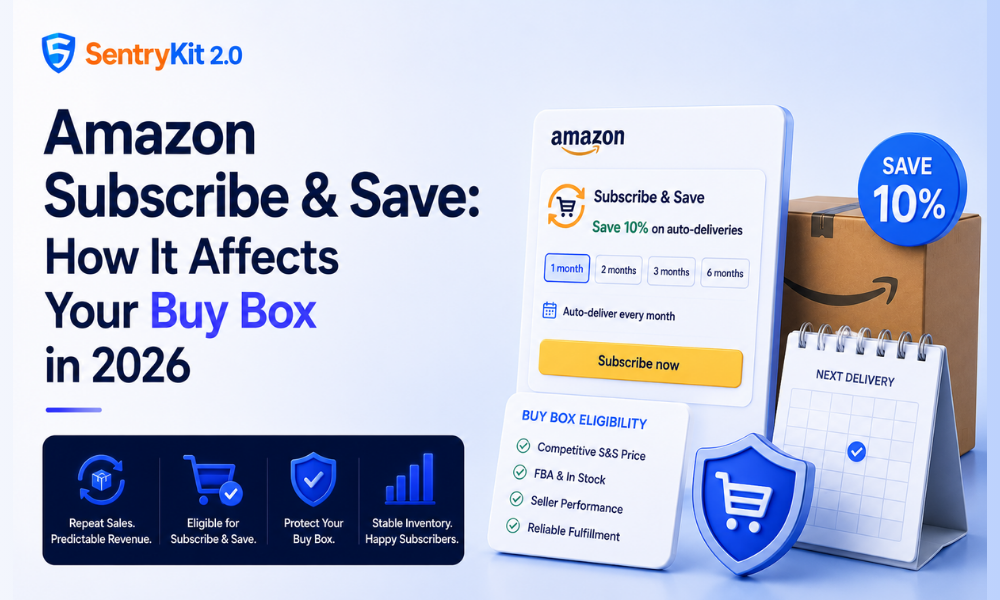
If you sell replenishable products on Amazon, Subscribe & Save is probably driving a meaningful chunk of your repeat revenue. Vitamins, cleaning supplies, pet food, coffee — these categories see high S&S attachment rates because customers genuinely prefer not to reorder manually every few weeks.
What most sellers don’t think about until something goes wrong: Subscribe & Save orders don’t behave like regular orders when it comes to Buy Box eligibility. The pricing rules are different, the suppression triggers are different, and losing the Buy Box on an S&S ASIN hits differently — because the customers you lose aren’t one-time buyers.
Subscribe & Save lets customers set a recurring delivery schedule for eligible products — every 1, 2, 3, or 6 months. Customers who subscribe to five or more products from any seller in a single delivery get an additional discount on top of the standard S&S discount.
For sellers, enrollment in S&S means committing to a minimum 5% discount off the item’s regular price (or 0% if you’re selling at a price that already satisfies Amazon’s discount requirements). In exchange, you get predictable repeat order volume, lower return rates, and favorable placement on Amazon’s Subscribe & Save browse pages.
The catch: once a customer subscribes, their order renews automatically. If you lose the Buy Box at their renewal date, they may not renew, or they may be shifted to a competing seller. Churn on an S&S subscriber base is expensive — those customers took effort to acquire and you don’t always know you lost them until the order data stops. You can see Amazon’s full eligibility requirements in the Subscribe & Save seller guidelines.
This is the part most sellers miss. Amazon evaluates Buy Box eligibility separately for Subscribe & Save orders versus standard one-time purchase orders. For standard orders, Buy Box eligibility weighs price, fulfillment method (FBA vs. FBM), seller metrics, and availability. For S&S orders, Amazon applies additional eligibility checks:
Price cap relative to the ‘was’ price. Amazon’s Subscribe & Save program requires that the subscribed price not exceed a certain threshold relative to the product’s historical price or the current non-subscribed price. If you raise your price significantly, Amazon may remove your product from the S&S program — or suppress the S&S option on your listing — before it suppresses your regular Buy Box.
Consistent availability. S&S orders are scheduled; Amazon needs to be confident the item will be in stock when the renewal hits. If your inventory runs low or goes to zero and then recovers, Amazon’s algorithm flags the reliability risk. This is one reason why Buy Box share drops can show up in PPC performance before you notice them in your dashboard.
Seller eligibility status. Amazon can suspend your ability to offer Subscribe & Save on specific ASINs or across your entire account if your fulfillment or performance metrics dip. Reinstatement isn’t automatic.
Price increase above threshold. If you raise your price and the discount required to maintain S&S eligibility would push your effective S&S price below your minimum margin, you’re in a tough spot. The choice is either absorb the margin hit, raise the price and lose S&S eligibility, or restructure your pricing.
Running out of stock. When an FBA ASIN goes out of stock, your S&S option is suspended for that ASIN. When you restock, the S&S option doesn’t always reinstate automatically — in some cases it requires manual action in your Subscription management settings. SentryKit’s Out of Stock alert fires the moment your ASIN’s inventory hits zero, giving you the earliest possible signal to investigate S&S eligibility and restock before renewal orders start routing elsewhere. You can see exactly what the Subscribe & Save alert catches when eligibility changes.
A new competitor enrolling in S&S at a lower price. Amazon’s S&S Buy Box can shift between sellers just like the standard Buy Box. If a competing seller enrolls in S&S and undercuts your S&S price, you can lose S&S Buy Box share without losing your regular Buy Box. You check your Buy Box percentage and it looks fine — but your S&S subscription renewal rate has quietly dropped because a competitor won the S&S Buy Box on renewals.
Keep FBA inventory stable. S&S orders are time-sensitive — they’re scheduled to ship on a specific date. If your FBA inventory runs low frequently, Amazon’s reliability signals work against you. Plan reorder points with S&S renewal cycles in mind, not just standard velocity.
Monitor your S&S discount percentage. If you’re running promotions or coupons on top of the S&S discount, check whether Amazon is stacking them in ways that push your effective price below the program floor. Amazon can suspend S&S eligibility for pricing anomalies.
Watch your competitors’ S&S enrollment. A new competitor entering your category and enrolling in S&S at a lower price is a Buy Box threat that doesn’t show up in your regular pricing alerts. It takes monitoring both the standard listing price and the S&S enrollment status of competing sellers — which most sellers don’t do.
Check your Subscription Management console monthly. Seller Central has a Subscribe & Save management page where you can see which ASINs are enrolled, what discount you’re offering, and your enrollment status. Sellers who check this rarely get blindsided by sudden suppression.
Start a free 30-day SentryKit trial and get Out of Stock and Subscribe & Save alerts for your top replenishable ASINs.
Yes — if you lose the regular Buy Box, Amazon may also remove or suppress your S&S offering on that ASIN. The two are linked for single-seller ASINs. For multi-seller competition on the same ASIN, the S&S Buy Box is evaluated separately.
No. Subscribe & Save enrollment requires FBA fulfillment. FBM-fulfilled ASINs are not eligible.
Existing subscribers may be shifted to a different seller offering S&S on the same ASIN, or their subscription may be cancelled if no eligible seller is available. You generally don’t receive a notification when this happens.
You can see S&S-eligible offers on your product listing when browsing as a customer — look for the “Subscribe & Save” option and check how many sellers are offering it. This isn’t exposed through Seller Central reporting directly.
The minimum is 5% for individual sellers (0% if your current price already satisfies Amazon’s eligibility threshold). You can offer higher discounts to stay competitive, but you can’t offer less than the minimum without losing enrollment.
Nisha Shetty · Marketing Manager, SentryKit
Nisha is a marketing manager and former Amazon seller who writes about e-commerce growth, consumer behavior, and digital retail trends.