
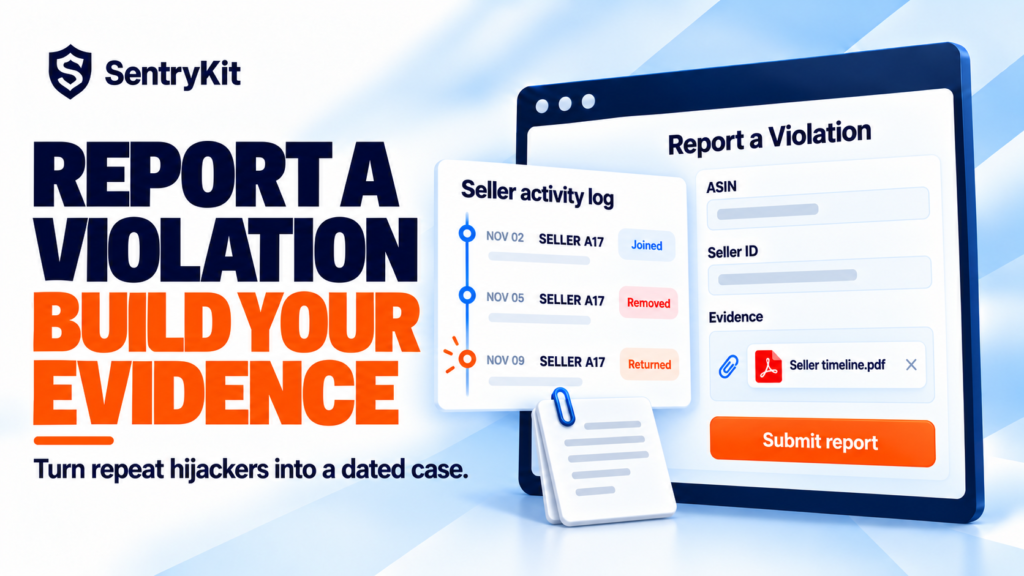
You report a hijacker through Report a Violation. Amazon closes it, and the same seller is back on your listing a week later. Or your brand name gets changed on a listing, Seller Support says it can’t change it back, and the case goes nowhere.
Seller forum threads and brand-protection consultants describe the same pattern: Amazon treats a single report as a single incident. What gets action is a dated record of which seller, on which ASIN, what changed, when, and how many times. Here’s what to collect, where to file it, and how to stop collecting it by hand.
Report a Violation lives inside Brand Registry. In July 2026 Amazon rebuilt it as “a single, guided experience” for IP infringement, store policy violations and compliance concerns, with structured forms and a Submission History tab that tracks each report’s status (Amazon). Structured forms want structured evidence. “This seller is selling fakes” with one screenshot gives the reviewer nothing to act on.
The forums show what happens without it. One seller whose listing’s brand name was changed to the wrong value opened several cases and was told Seller Support “cannot change the brand name attribute, because it is misleading to customers” (Amazon Seller Forums). A UK thread is titled “ASIN Hijacked – Brand changed, reviews stolen, report process is broken” (Amazon Seller Forums UK). On the EU forum: “The Title of my listing was changed – not by me” (Amazon Seller Forums EU).
I’ve watched sellers file the same report five times, each with a fresh screenshot and no timeline. The fifth gets closed the same way as the first. Account-health consultants have been making the same point on LinkedIn ahead of Black Friday: keep a log, then report the pattern.
The first line of every evidence log is “who joined, and when”. SentryKit’s Hijacker alert emails it to you the moment a new seller joins your listing: seller ID, price, FBA or FBM, and the time they joined.
| Problem | What to capture | Where to report |
|---|---|---|
| Unauthorised seller or suspected counterfeit | Seller ID and storefront link, ASIN, marketplace, date and time they joined, their price, FBA or FBM, test-buy order ID and photos | Report a Violation (Brand Registry) |
| Same seller back after removal | Every date they joined and left, plus your earlier submission IDs | Report a Violation, referencing Submission History |
| Brand name, title or images changed | Before and after values with dates, plus proof: trademark, GS1 record for the UPC, packaging photos | Brand Registry Support case |
| Back-end attributes changed (item type, category, product type) | Old value, new value, date of change | Brand Registry Support case |
Notice what every row has in common: dates. A single screenshot shows Amazon a listing. A dated series shows it a pattern, and patterns are what reviewers escalate.
Not enrolled in Brand Registry? You can’t use Report a Violation, but rights owners can still use Amazon’s Report Infringement form. The evidence list is the same.
Seller Central doesn’t give you a change history for a listing. You only see what the listing looks like now. So the manual routine is:
It works, but it’s weekly at best. A brand name that was changed on Tuesday and changed back on Friday never shows up in it.
Skip the manual check: SentryKit’s Listing Change alert checks your listings every 15 minutes and emails you the before and after for every field: title, bullets, images, brand, category and back-end fields like item type keyword. Each change is saved to the product’s timeline with a PDF of the full before and after, which you can attach to a case as it is.
If the change was to a generic or unbranded ASIN, our post on proving what a generic ASIN used to be walks through that case.
Keep one log per problem seller, not one per incident. The columns that matter:
A test buy turns a suspicion into evidence. Order from the seller, photograph the packaging, label and item next to your genuine product, and keep the order ID. Don’t leave a review on the test buy.
Skip the manual check: the Hijacker alert emails you when a new seller joins your listing, with their seller ID, price, FBA or FBM and the time they joined. The seller report lists every seller on your listings with first and last seen dates, Buy Box count and fulfilment method, and exports to CSV any time. Tag sellers as Authorised reseller, Amazon Retail or Watchlist so only the ones you care about reach your inbox.
For the bigger picture on removing them, see how to detect, remove and prevent hijackers.
SentryKit keeps the log for you: who joined, when, at what price, and every before and after on your listings. Plans start at $19/month with a 14-day free trial. See pricing, or see how it works for private label brands.
Amazon reads patterns, not complaints. Give it the pattern.
Build the record Amazon acts on, automatically
SentryKit watches 50+ signals on your ASINs, from new sellers and Buy Box to every listing field, and emails you when one changes. Plans from $19/mo.
Start 14-day free trialRelated alerts
If your brand is in Brand Registry, use Report a Violation and include the seller ID, ASIN, dates, price and test-buy evidence. If it isn’t, rights owners can use Amazon’s Report Infringement form.
Yes. The brand has to be enrolled in Brand Registry. Any Brand Registry user on the brand can report store policy violations without the Rights Owner role.
Amazon doesn’t publish a timeline. Track each report in the Submission History tab and reference earlier submission IDs if you have to re-file.
Not in Seller Central. It shows the current listing only. Keep dated screenshots and Category Listings Report downloads, or use a monitoring tool that saves before and after for each change.
Re-file with the full dated timeline and earlier submission IDs, use Brand Registry Support for catalog changes, and add test-buy evidence for counterfeit claims.

Raghav Tiwari · Founder, SentryKit
Raghav is the founder of SentryKit. He spent years running his own Amazon storefronts before building it, and writes about Buy Box strategy, competitive intelligence, and the platform shifts sellers can’t afford to miss.