
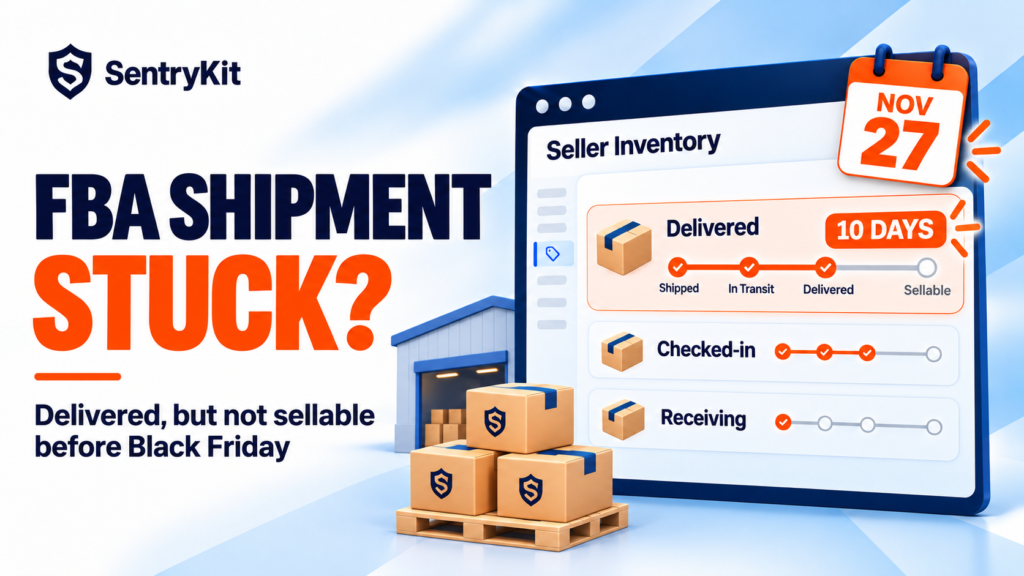
Your FBA shipment says Delivered. A week later it still says Delivered, or it moved to Checked-in and stopped there. Nothing is sellable, Black Friday is on 27 November, and Seller Support tells you to wait.
Here’s the short answer. Amazon publishes no fixed check-in time, and this quarter sellers are reporting anywhere from 10 days to four weeks between delivery and sellable stock. There’s no way to speed up a fulfillment center, but there’s still a lot you can do: work out which status you’re stuck in, act on the ones that need action, keep the listing selling in the meantime, and claim any units that never show up.
Amazon doesn’t give a number. Its own guide says how long each stage takes varies, that a shipment can be checked in several days after it arrives, and that holidays slow every step (Amazon).
The seller reports from the last three weeks fill in the rest. One shipment sat at Delivered for 10 days. An LTL pallet was at Checked-in for almost four weeks, when earlier shipments had moved on in under two. Several sellers are planning around roughly 10 days from delivery to sellable.
Run that against the calendar:
| Delivered to Amazon by | Sellable by, at about 10 days |
|---|---|
| 17 November | 27 November, Black Friday |
| 20 November | 30 November, Cyber Monday |
| After 20 November | Plan for December, and keep a backup for the deal days |
Treat 10 days as a rough guide. If your last shipment took three weeks, plan for three weeks.
Each status tells you who has the shipment and whether anything is wrong yet. The definitions below are Amazon’s (Amazon). The last column is when I’d stop waiting.
| Status | What it means | Act when |
|---|---|---|
| In transit | The carrier is moving it | The carrier’s delivery date has passed |
| Delivered | It has reached an Amazon site but isn’t checked in | About a week with no change. Get proof of delivery first |
| Checked-in | It moved from the yard to the dock door, ready to unload | Two weeks or more, or well beyond your usual time |
| Receiving | Amazon has scanned the first box. Received units can sell | Counts stop moving while units are still missing |
| Closed | All units received, or open past 45 days (75 international) | Expected and received counts don’t match |
Receiving is the status that catches most sellers out. It means Amazon has started counting your boxes, and units that are already received can still be moved to another building before customers can buy them.
A stuck shipment hurts most when the stock already on Amazon runs out first. SentryKit’s FBA Stock alert emails you when fulfillable units on an ASIN hit your threshold, and shows whether an inbound shipment is on its way.
Keep it to one case and add documents to it as you get them, rather than opening a new case every couple of days.
Units go missing in three ways: never counted, counted against the wrong item, or received and then not available. Amazon’s fix for the first is reconciliation, and it only opens once the shipment is Closed (Amazon):
Two cases don’t show up as a shortfall, so check for them by hand. One seller had about 750 units across 30 colors received under a single ASIN, three times in three years. Another had 37 units still unavailable six weeks after a fully received, closed shipment. And it’s worth going back through closed AWD-to-FBA transfers: one seller recovered about $2,600 doing exactly that.
For claim types and documents, see how to claim FBA reimbursements.
The bigger risk with a stuck shipment is running out of stock while you wait. When that happens your ranking drops, and your ads keep spending on a listing nobody can buy (how stockouts hurt rankings).
Skip the manual check: SentryKit’s FBA Stock alert emails you when fulfillable stock on an ASIN drops to the threshold you set, shows whether an inbound shipment is in transit for it, and emails again when it’s back above the line.
SentryKit watches your fulfillable stock, alongside Buy Box and listing changes, and emails you about the ASINs that need attention. Plans start at $19/month with a 14-day free trial. See pricing.
If a shipment is stuck right now, start with proof of delivery and a stock threshold on the ASIN. Those two steps protect the most sales before the deal days.
Know which ASIN is about to run dry
SentryKit watches 50+ signals on your ASINs, from fulfillable stock to Buy Box and listing changes, and emails you when one changes. Plans from $19/mo.
Start 14-day free trialRelated alerts
Amazon doesn’t publish a fixed time and says holidays slow every stage. Sellers are reporting from about 10 days to four weeks this quarter, so plan from your own recent shipments.
Checked-in means the shipment has moved from the facility yard to the dock door and is ready to unload. Units aren’t sellable until they’re received and available.
Reconciliation opens once the shipment is Closed, which happens when all units are received or after 45 days (75 for international shipments). Use the Contents tab and attach your invoice and proof of delivery.
Missing units are handled through shipment reconciliation once the shipment closes. If Amazon confirms the loss, the reimbursement shows under Reports, then Fulfillment.
Yes. You can add a merchant-fulfilled offer on the same ASIN if you hold stock outside Amazon, and switch back once the FBA units are available.

Raghav Tiwari · Founder, SentryKit
Raghav is the founder of SentryKit. He spent years running his own Amazon storefronts before building it, and writes about Buy Box strategy, competitive intelligence, and the platform shifts sellers can’t afford to miss.