
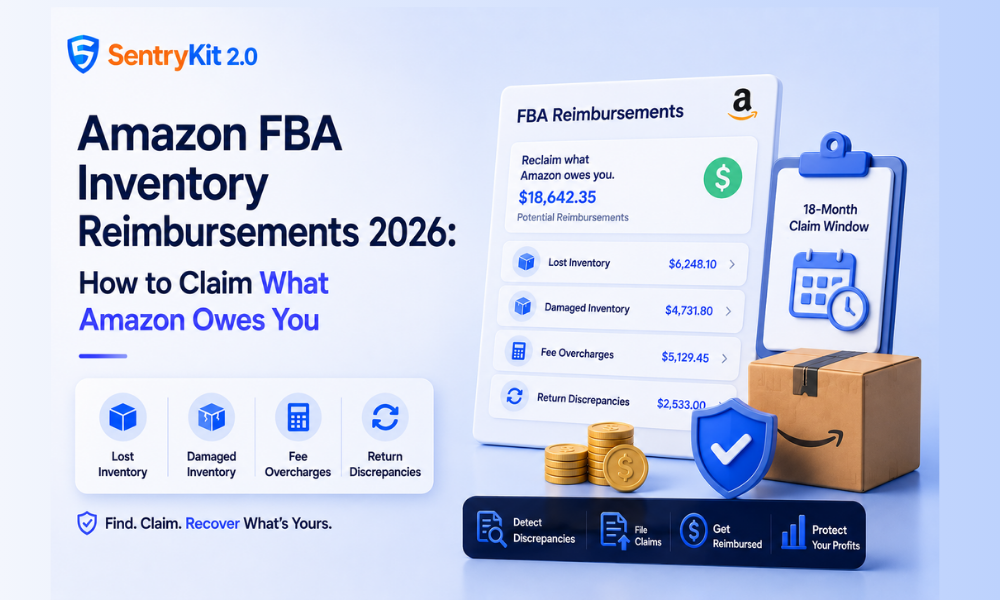
Amazon processes millions of FBA shipments every year. Some of that inventory gets lost. Some gets damaged. Some fees get miscalculated. In each case, Amazon has a reimbursement policy — but the process requires you to find the discrepancies yourself and file a claim within the window.
Most sellers leave money on the table. Not because Amazon won’t pay, but because reconciling FBA inventory takes time they don’t have, and the reporting isn’t built for easy error-spotting. This guide covers the four main reimbursement categories, what changed in 2024, and how to build a process for finding and claiming what you’re owed before the window closes.
Amazon’s FBA reimbursement program covers four distinct situations where inventory is lost, damaged, or incorrectly charged:
1. Lost inventory in the fulfillment network. Items that enter Amazon’s warehouse but never make it to a customer. This includes units lost in transit between fulfillment centers, units missing from receiving scans, and units that disappear after a customer return is processed back into inventory.
2. Damaged inventory. Units damaged in Amazon’s warehouse before they ship, or damaged in transit under Amazon’s handling. Amazon is responsible for the condition of items from the moment they enter the fulfillment network.
3. FBA fee overcharges. Fulfillment fees are calculated based on the dimensions and weight of your packaged product. If Amazon’s system miscalculates your item’s size or weight, you’re charged more than the correct rate. These errors are common and often go unnoticed for months — especially across larger catalogs. When Amazon re-measures a product and the fee drops, every order before the re-measure was overcharged; SentryKit’s Amazon FBA fee reimbursement report lists those orders, ready to claim. A full margin audit usually surfaces them.
4. Return discrepancies. A customer returns a product, Amazon processes the return, but the unit is either never restocked, restocked in unsellable condition without an adjustment, or the return volume doesn’t match what customers were credited for.
All four categories are legitimate reimbursement grounds. The challenge is that you have to find them.
In October 2024, Amazon changed how it calculates reimbursements for lost and damaged FBA inventory. Prior to the change, reimbursements were typically based on your average selling price. After the change, Amazon moved to a model based on estimated manufacturing or replacement cost — usually a lower figure.
According to Amazon’s FBA inventory reimbursement policy, the estimated manufacturing cost is calculated using signals from your cost of goods, supplier invoices, and comparative data from similar items in the catalog.
What this means in practice: if you were selling a product for $45 and your manufacturing cost was $12, your reimbursement under the old policy might have been calculated near the sale price. Under the current policy, it’s calculated near the manufacturing cost. The same lost unit now yields a lower reimbursement.
This makes it more important — not less — to file every legitimate claim. Lower per-unit reimbursements mean you need to be more thorough about finding all the discrepancies.
Reimbursement discrepancies don’t surface on their own. You have to pull the right reports and reconcile them against each other.
The FBA Inventory Adjustments Report shows every inventory movement in your fulfillment account: received, shipped, returned, removed, disposed, and adjusted. Look for negative adjustment codes — specifically E1 (damaged), E3 (damaged at fulfillment center), E7 (removed by customer), and M (missing/lost) — without a corresponding reimbursement.
The FBA Returns Report shows what customers returned. Compare this against your inventory received-back numbers. A return processed by Amazon that never arrives back in your inventory is a potential reimbursement case.
The FBA Fee Preview and Transaction View let you audit your fee charges. Pull the fee preview for your ASINs and compare against the standard rates for your declared dimensions and weight. If there’s a discrepancy, pull the Manage FBA Inventory report to check whether Amazon has different dimensions on file for your product.
The reconciliation process takes time but follows a consistent pattern once you’ve built a template. Most experienced sellers run a monthly audit across all three reports.
You have an 18-month window from the date of an inventory event to open a reimbursement case. After that, the claim is no longer eligible — even if the error was real and documentable.
To file:
Amazon typically reviews cases within 5–10 business days. Some resolve automatically; others require follow-up with additional documentation.
One practical note: open separate cases per discrepancy type. Bundling multiple issue types into a single case often slows resolution and can result in partial closure.
Outside the 18-month window. Amazon will not reopen claims past the deadline, regardless of the evidence. This is the most common reason legitimate claims go unpaid.
Insufficient documentation. If you can’t provide the shipment ID, FNSKU, or specific date range of the loss event, Amazon’s support team often can’t locate the transaction in their system.
Already reimbursed elsewhere. Amazon sometimes issues automatic reimbursements for certain loss events that you may not have noticed. Before filing, check the FBA Reimbursements report to confirm the event wasn’t already settled.
ASIN dimension mismatch. For fee overcharge disputes, if your declared dimensions in Seller Central don’t match your product’s actual packaged dimensions, Amazon may deny the overcharge claim even if their on-file dimensions are wrong. Have your actual packaged dimensions documented before filing.
The biggest practical problem with FBA reimbursements isn’t the filing process — it’s knowing when inventory has been lost in the first place. By the time you notice you’re out of stock and investigate, days may have passed, and the inventory event that caused it is harder to trace.
SentryKit’s Out of Stock alert fires the moment an ASIN’s stock status goes to zero. That alert is your earliest signal to check FBA inventory levels and look for discrepancies before the trail gets cold. If your inventory report shows units that should be in the fulfillment network but aren’t reflected in available stock, you have the foundation of a reimbursement case — and you have it earlier than if you found the out-of-stock event during a weekly check.
The reimbursement window is 18 months, but the best documentation comes from catching inventory events close to when they happen. Earlier detection means a cleaner case. You can see how this fits into a broader FBA alert strategy that covers more than just stockouts.
Start a 14-day free SentryKit trial and set up Out of Stock alerts for your top ASINs.
Reimbursement auditing works best as a recurring process rather than a one-time effort. A monthly cadence — pulling the Inventory Adjustments, Returns, and Fee reports in the first week of each month and reconciling against the prior month — keeps you inside the documentation window and builds a consistent picture of your FBA account health.
The sellers who recover the most aren’t the ones who audit once a year and file large batches. They’re the ones who run a tight monthly review, file promptly, and keep the 18-month window from becoming a constraint. It also pairs well with keeping a close eye on your broader Amazon monitoring setup — inventory discrepancies rarely happen in isolation.
Most cases resolve within 5–10 business days. Complex fee disputes can take 2–4 weeks and may require escalation with additional documentation.
Yes — several services specialize in FBA reimbursement auditing and charge a percentage of recovered funds. Amazon’s terms of service require that claims be based on legitimate inventory discrepancies; mass-filing speculative claims violates the ToS and can result in account suspension.
There’s no minimum. Amazon will process claims of any size. Many sellers set a $10–$20 threshold below which they batch-file or use an audit service to manage the time investment.
Amazon issues some automatic reimbursements — particularly for items lost during inbound shipment — but doesn’t catch everything. Reconcile your own reports independently to confirm what’s outstanding versus already paid.
Since October 2024, Amazon calculates reimbursements based on estimated manufacturing or replacement cost, not selling price. Signals include your cost of goods data, supplier invoices you’ve provided, and comparable product data from the catalog.

Nisha Shetty · Marketing Manager, SentryKit
Nisha is a marketing manager and former Amazon seller who writes about e-commerce growth, consumer behavior, and digital retail trends.