
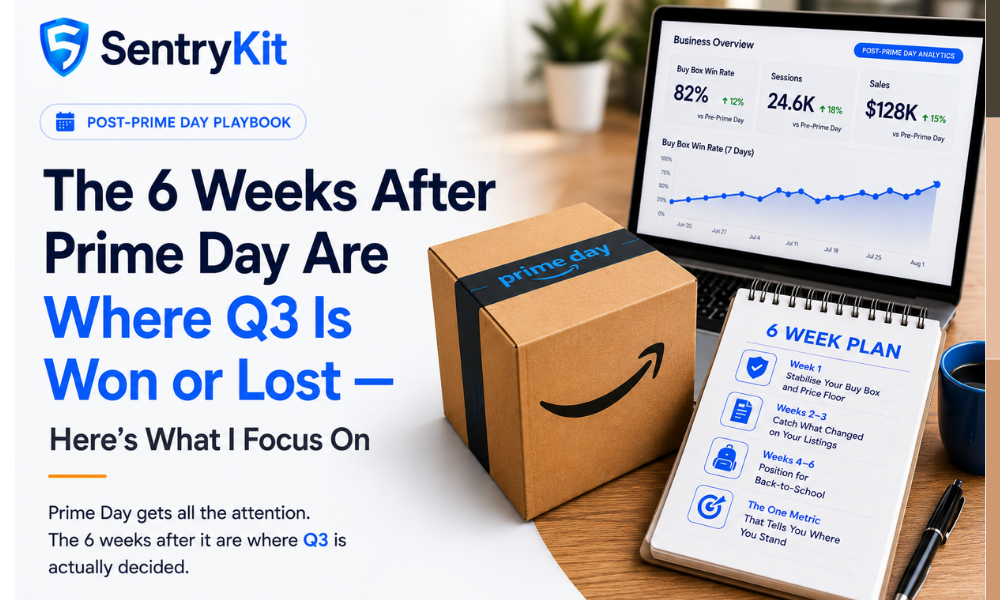
Prime Day gets all the attention. The 6 weeks after it are where Q3 is actually decided.
Most sellers spend the day after Prime Day reviewing their event numbers. That’s not wrong — but if that’s all you’re doing, you’re looking at the wrong data. The window right after Prime Day is when the competitive landscape resets, and the sellers who pay attention here tend to win the back half of the year.
Here’s what I watch for, and why.
Prime Day creates a temporary pressure system. Every seller who ran a deal or an aggressive pricing rule just came through a period of compressed margins and distorted price signals. When that pressure lifts, the market resets — but it doesn’t reset evenly.
Sellers who over-discounted are now sitting on thin margins. Some will overcorrect upward. Some will drop further to clear remaining inventory. That volatility is an opportunity if you’re watching it, and a blind spot if you’re not.
There’s another angle most sellers miss entirely: listing drift.
Amazon’s generative AI tools — including the Enhance My Listing features rolled out last year — have more signal to act on when traffic spikes. Prime Day is peak traffic. Amazon’s systems are processing more buyer interactions with your listing than on any other day of the year, which means they’re more likely to propose or accept content changes. Competitors can do the same. Your listing can change without you initiating it — and the day after Prime Day is exactly when to check.
As Prime Day pricing pressure eases, Buy Box rotation typically resets within 24–72 hours. Sellers who held their floor steady during the event are often in the strongest position when competitors’ aggressive pricing rules wind down. The sellers who chased every competitor to the bottom are the ones who come out underwater.
Watch for the post-Prime Day overcorrection. A seller who ran a deep discount and is now sitting on thin inventory will either hold a low price to move stock or jump their price back up sharply. Both moves are visible. The jump is the one that creates an opening.
The first thing to check when Prime Day ends isn’t your revenue report. It’s your Buy Box ownership.
Run a competitor price check across your top ASINs immediately. You want to know: who holds the Buy Box right now, at what price, and are there any new sellers who appeared during the event and are still there?
Three things, in this order: (1) Buy Box ownership on your top ASINs, (2) whether any new sellers appeared on your listings during the event, (3) whether those sellers are holding prices that undercut your floor.
If a new seller appeared during Prime Day and is still there post-event, that’s not a Prime Day anomaly — that’s a hijacking scenario. Deal with it now. Private label sellers with brand-enrolled ASINs are especially exposed here because new resellers can appear quickly when a listing gets Prime Day traffic.
Watch their price over 48 hours. If a competitor was running a Prime Day promotion and is now back to normal pricing, you’re fine. If they’re holding a price below your floor 48 hours after the event, they’re not in a promotional mode — they have a structural cost or margin advantage, or they’re not paying attention to their own floor. Either way, you need to know.
Prime Day is a high-traffic period for listing content changes — from both Amazon’s AI and from competitors.
Unauthorized brand-name and ASIN edits are more common during high-volume events. A reseller with access to your listing can propose content changes. Amazon’s systems have more signal to act on when traffic is high — and Prime Day is peak traffic.
After any major high-traffic event, check your titles, bullets, and main image against what they were going into the event. Even a minor title change can shift your ranking for secondary keywords. A main image change is more serious — it can affect conversion rate immediately.
A content change that doesn’t pass Amazon’s quality filters can trigger a suppression. If your listing was modified during Prime Day and failed a validation, you may have a listing suppressed without obvious warning.
Check Manage Inventory for any suppressed status flags. If you find one, work backwards — what changed, and when? Most guides skip this check. The sellers who don’t skip it are the ones who catch problems before they affect a full week of sales.
Back-to-school demand begins building in early August and closes quickly for categories that matter to students, parents, and home office buyers.
The replenishment decision you make this week determines whether you’re in stock when that demand hits. Most sellers calculate replenishment against Prime Day velocity, which is inflated. Use your 30-day pre-Prime Day run rate as the baseline — that’s your normal demand signal and a more reliable predictor of August performance.
Lead times to Amazon FBA typically run 2–4 weeks depending on your supply chain. If you wait until mid-July to place a replenishment order, you’re risking an out-of-stock window right when back-to-school demand peaks.
PPC data from Prime Day is distorted for 10–14 days after the event. CPC rises because more sellers bid aggressively to recover Prime Day visibility. ROAS looks worse than baseline because post-Prime Day buyers are less purchase-ready than Prime Day buyers were.
Don’t optimise your bids against Prime Day ROAS. Wait two weeks. The sellers who panic and slash bids in week one of July tend to underinvest exactly when the back-to-school audience is starting to form.
Buy Box win rate in the 7 days after Prime Day.
If it’s recovering toward your pre-Prime Day baseline, your position is solid. If it’s lower than baseline and staying low, something changed — a price issue, a listing quality problem, or a new competitor holding a price you haven’t responded to.
This single number tells you more about your Q3 starting position than any Prime Day summary dashboard.
The sellers who win Q3 aren’t the ones who had the best Prime Day. They’re the ones who came out of it with their Buy Box intact, their listings clean, and their replenishment in motion.
Most sellers see Buy Box stability return within 24–72 hours of Prime Day ending, assuming no lasting price changes or listing issues. If you’re still seeing volatile Buy Box ownership after 72 hours, check whether a competitor is holding an unusually low price or whether a listing change triggered a quality flag during the event.
Only if you dropped prices specifically for Prime Day and can do so without losing Buy Box to a competitor holding a lower price. Check what competitors are pricing before moving. If your floor is solid and you’re holding Buy Box, a measured price increase is reasonable. If you’re already under Buy Box pressure, stabilise before raising.
In order: (1) Buy Box ownership on your top ASINs, (2) whether new sellers appeared on your listings during the event, (3) whether your listing content changed. These three checks cover the highest-risk scenarios in under 20 minutes.
Yes — sales velocity typically dips for about two weeks after Prime Day as purchase-intent buyers have already converted. The mistake is treating that dip as a signal to drop prices or cut PPC, which weakens your position for the back-to-school recovery.

Raghav Tiwari · Founder, SentryKit
Raghav is the founder of SentryKit. He has spent years in the Amazon seller ecosystem and writes about Buy Box strategy, competitive intelligence, and the decisions that move the needle for sellers.