
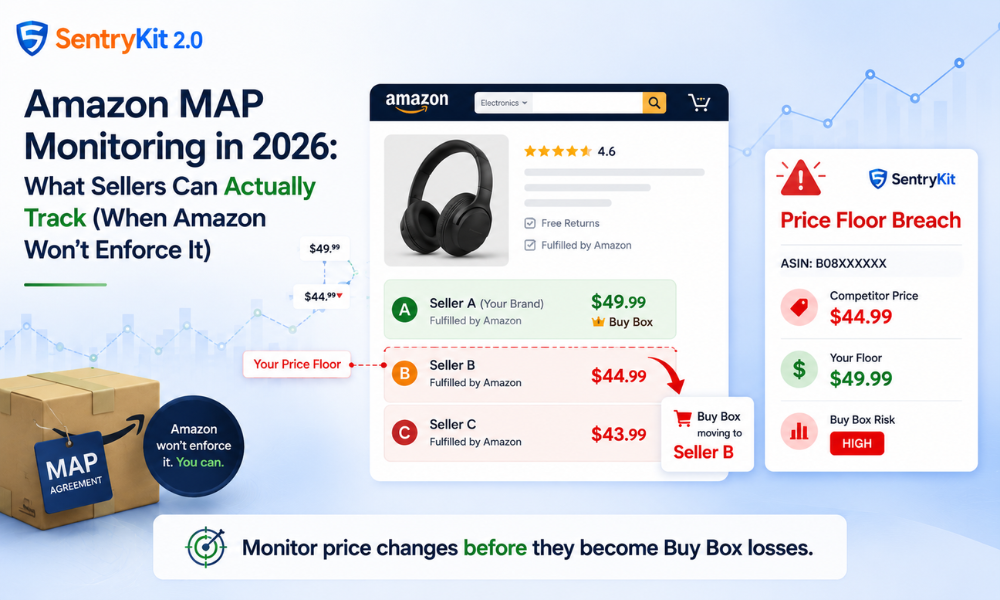
Amazon doesn’t enforce Minimum Advertised Price agreements. If a reseller on your listing drops below your MAP, Amazon won’t remove their offer, won’t warn them, and won’t intervene — even if you have a signed MAP agreement.
This isn’t a policy gap. It’s intentional. Amazon’s marketplace is built to surface the most competitive offer. MAP enforcement conflicts with that goal, so Amazon leaves it to brands to handle.
The right question isn’t “will Amazon enforce this?” It’s “what can I actually track — and respond to — when a reseller breaks it?”
More than most sellers realise, as long as you have the right visibility.
The full breakdown of why Amazon doesn’t enforce MAP is covered in a separate post — worth reading if you’re not already clear on the mechanics. The short version: Amazon’s marketplace rules explicitly permit resellers to set their own prices. MAP agreements are contracts between brands and their resellers, not a policy Amazon enforces. As Gray Falkon notes in their MAP enforcement analysis, Amazon’s pricing systems actively reward lower offers with Buy Box placement — the opposite of MAP enforcement.
What you can control is your monitoring response.
The practical approach to MAP protection on Amazon has two parts: setting a defensible price floor and monitoring in real time so you can respond when a reseller crosses it.
A price floor is the minimum price at which your economics still work — where you hold margin, cover fees, and stay competitive in the Buy Box. Document your floor per ASIN. For most sellers, this is: COGS + FBA fees + target margin. Having this number written down matters because it becomes the trigger point for your monitoring response.
For a more detailed look at how to calculate and set a price floor, see our guide on Amazon price floor strategy.
When a reseller drops below your price floor, they don’t just violate your MAP agreement — they take your Buy Box. Amazon’s Featured Offer algorithm favours the lowest-priced competitive offer among FBA sellers with comparable metrics. A seller who prices $0.50 below you will typically win the Buy Box within minutes.
The mechanics of Buy Box rotation and why speed matters in responding to it is worth understanding before you set up your monitoring workflow.
This is a four-step workflow that gives you real-time visibility into when a reseller crosses your floor — and the information you need to respond.
Not every ASIN in your catalog carries the same risk. Prioritise ASINs where you have multiple resellers active, high velocity, and a price floor that’s under pressure. If you’re a brand with 50 SKUs, the 5–10 where reseller activity is highest are where MAP monitoring matters most.
For each at-risk ASIN, define the floor. This is the price point you want to know about the moment a competitor breaks it — not your aspirational MAP, but your economic floor. Document it somewhere you can reference when an alert fires.
This is where real-time monitoring does the work you can’t do manually. SentryKit’s Price Floor Breach alert fires as soon as a seller on your listing prices below your defined floor. You don’t find out in the morning — you find out within minutes.
The Competitor Price Change alert fires whenever any seller on your listing changes their price, giving you the full picture of price movement — not just floor breaches.
When the alert fires, you have a narrow window. The Buy Box can move in minutes.
Understanding the mechanics helps you prioritise your response.
Amazon’s Buy Box algorithm considers multiple factors, but price is one of the most direct levers. Among FBA sellers with comparable metrics, the lower-priced offer typically wins the Buy Box. A reseller who prices below your floor — even by a small margin — will displace you as the featured seller on your own listing. A $0.25 undercut on a $30 product is barely noticeable to a buyer. To Amazon’s algorithm, it’s enough to rotate the Buy Box.
Buy Box rotation can happen within minutes of a price change. There is no delay built into the system to give you time to respond. The faster you know about a price change, the faster you can decide whether to match, escalate, or hold — before hours of sales go to the reseller.
Most sellers managing MAP agreements at scale use some combination of two things: a repricing tool for automated price adjustment, and a dedicated monitoring layer for real-time awareness of what’s happening on their listings.
SentryKit’s Price Floor Breach and Competitor Price Change alerts form the real-time monitoring layer. They don’t make pricing decisions — that’s your call, or your repricer’s. What they do is make sure you have the information you need within minutes of a change, not the next morning.
Start a free 30-day trial and see how many times a competitor changes their price on your listings in a typical week.
A working MAP monitoring setup for Amazon has four elements:
Amazon won’t do step 4 for you. The other three are things you can set up and run with the right monitoring in place.
The weeks immediately after Prime Day tend to see elevated MAP violations — resellers who over-discounted during the event are trying to clear remaining inventory and may hold a low price longer than usual. If you haven’t checked your offer pages this week, now is a good time.
No. Amazon doesn’t enforce Minimum Advertised Price agreements. MAP agreements are contracts between brands and their resellers — Amazon’s marketplace rules explicitly permit resellers to set their own prices. Sellers who want to address MAP violations must do so through their reseller agreements outside Amazon.
Amazon does not have a MAP violation reporting process. If a reseller undercuts your MAP, Amazon will not remove their offer or issue a warning based on your MAP agreement.
MAP is a contractual minimum price set between a brand and its resellers for channel management purposes. An economic price floor is the minimum price at which you maintain your margin and cover costs. For monitoring purposes on Amazon, the relevant number is your economic floor — the point at which a competitor’s lower price actively damages your business.
Buy Box rotation can happen within minutes of a price change. Amazon’s Featured Offer algorithm evaluates offers continuously — there’s no delay built in. A reseller who prices below you by even a small margin can take your Buy Box within minutes if their other seller metrics are comparable.
Yes — SentryKit’s Price Floor Breach alert fires the moment a seller on your listing prices below your defined floor. The Competitor Price Change alert fires whenever any seller on your listing changes their price. Both alerts give you real-time visibility so you can respond before the Buy Box rotates.

Nisha Shetty · Marketing Manager, SentryKit
Nisha is a marketing manager and former Amazon seller who writes about e-commerce growth, consumer behavior, and digital retail trends.