
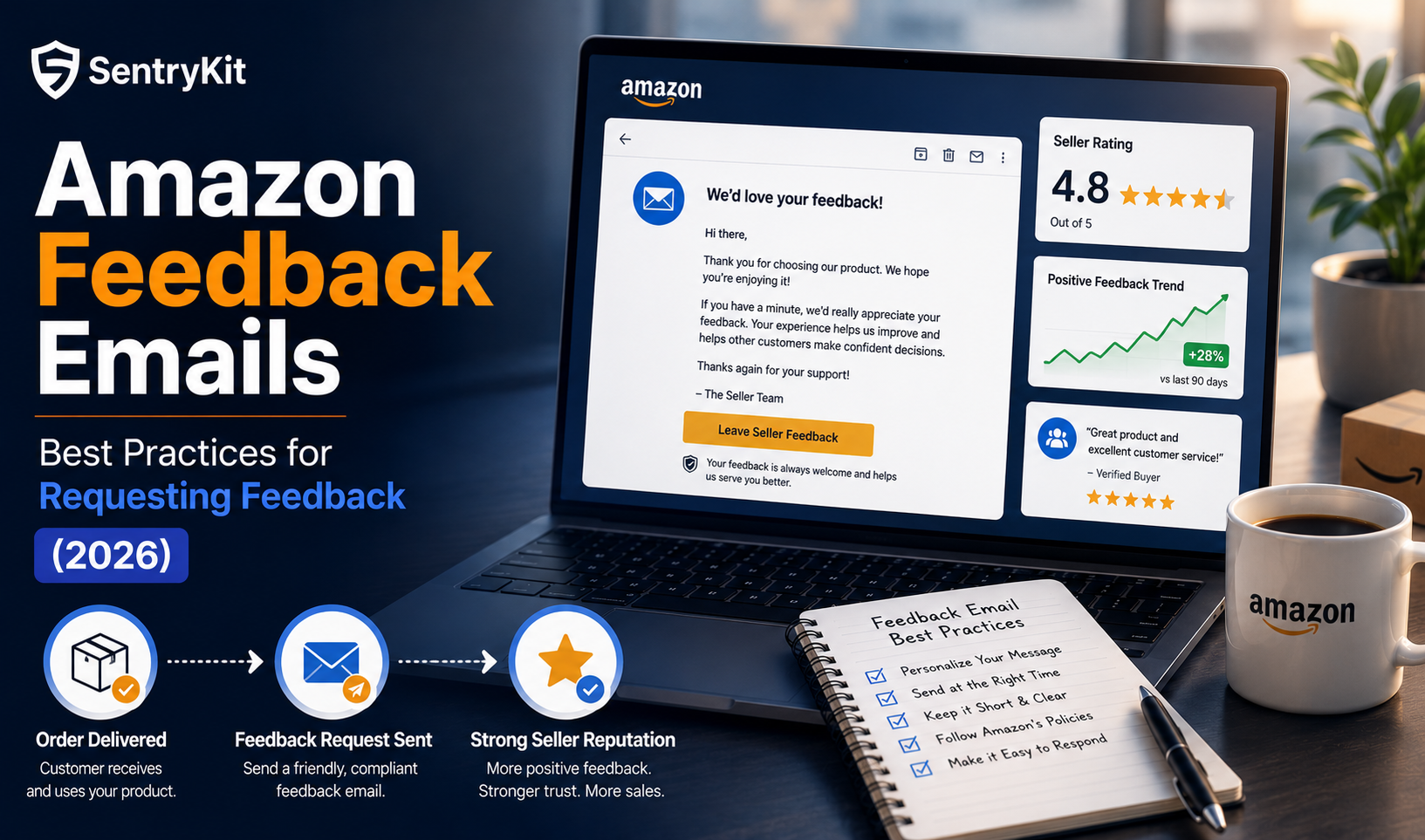
Customer feedback plays a crucial role in your long-term success as an Amazon seller. A strong seller rating improves your Buy Box eligibility, increases buyer trust, and directly influences sales velocity. A handful of negative reviews — or a declining Account Health Rating — can quietly erode your ranking before you notice.
In 2026, the stakes are higher. Amazon has replaced the old Fair/Good/Very Good/Excellent rating scale with a 0–1,000 point Account Health Rating (AHR) system, which now weighs shipping speed, policy compliance, and customer service metrics together. Sellers who rely on passive review accumulation are falling behind competitors who actively manage feedback with compliant, well-timed requests.
This guide covers why feedback matters, how to request it correctly, and provides fully updated 2026 email templates you can use immediately without violating Amazon’s communication guidelines.
Amazon’s algorithm relies heavily on customer sentiment and seller ratings when determining ranking and Buy Box eligibility. Here’s why actively managing feedback is more important in 2026 than ever:
The baseline for review volume is low. Across Amazon, sellers receive roughly 2–4 reviews per 100 orders without any proactive outreach. In competitive categories, the sellers who win aren’t necessarily getting more sales — they’re converting more of those sales into visible social proof.
More positive feedback improves your Order Defect Rate (ODR) and overall AHR score — both of which influence Amazon’s trust in your account. Under the new 0–1,000 point system, maintaining a score above 200 keeps your account in good standing. Falling below 100 triggers account health warnings.
Buyers are more likely to purchase from sellers with strong feedback histories, especially in competitive product categories. A visible pattern of recent positive reviews signals reliability to both buyers and the algorithm.
Amazon prioritises sellers with better ratings, delivery performance, and customer satisfaction metrics when awarding the Buy Box. With Buy Box competition tightening in 2026, maintaining a strong feedback profile is one of the few non-price levers sellers can pull to hold their position.
To ensure compliance, effectiveness, and higher response rates, follow these practices. Amazon’s communication rules haven’t relaxed — if anything, enforcement has become more consistent in 2026.
Never offer coupons, gifts, incentives, refunds, or rewards in exchange for reviews. Avoid any language requesting a “positive” or “5-star” rating specifically. For the full list of approved and prohibited messaging, check Amazon’s official Communication Guidelines.
Amazon allows review requests between 5 and 30 days after delivery — this is the official window for both the Request a Review button and Buyer-Seller Messaging. Research across thousands of sellers shows the optimal timing varies by product type:
Contact limit: once per order, once per 30 days. Repeated requests for the same order signal pressure to Amazon’s monitoring systems and damage the customer relationship.
Two to three sentences is enough. Customers don’t read long emails from sellers, and a cluttered message reduces completion rates. Clarity and brevity are more effective than detail.
Use the customer’s first name and reference the specific product they purchased. Personalised requests consistently outperform generic ones. Include the product name so the customer immediately remembers what they bought.
The fewer clicks required, the higher the completion rate. A direct review link removes friction and makes it easy for a satisfied customer to act immediately.
Proactive feedback management means knowing when a new review lands within minutes, not days. SentryKit’s real-time review alerts let you respond quickly to negative feedback before it influences your star rating trend — giving you a window to resolve issues before they compound.
Three compliant, ready-to-use templates for 2026. Each one follows Amazon’s current communication guidelines — no incentives, no star-rating requests, no policy risk.
Subject: How Was Your [Product Name] Experience?
Hi [Customer’s Name],
Thank you for choosing [Your Brand]. We hope you’re enjoying your [Product Name]. If you have a moment, we’d truly appreciate your feedback — it helps other shoppers and supports small businesses like ours.
If you’d like to share your experience: [Review Link]
If anything wasn’t right, just reply to this email — we’re here to help.
Thank you,
[Your Name / Brand Name]
Subject: We’d Love to Make Things Right
Hi [Customer’s Name],
We noticed you recently purchased [Product Name] and want to make sure everything met your expectations. If anything wasn’t perfect, please let us know — we’d appreciate the chance to help.
If you’d like to share your experience, you can leave a review here: [Review Link]
We’re looking forward to hearing from you.
Best,
[Your Name / Brand Name]
Subject: Share Your Thoughts on Your Recent Purchase
Hi [Customer’s Name],
We’d love to hear your thoughts on your recent purchase of [Product Name]. Your feedback helps us improve and helps other shoppers make confident decisions.
If you have a moment, you can leave your review here: [Review Link]
Thank you for your support.
Best regards,
[Your Name / Brand Name]
Tracking feedback across multiple ASINs manually is impractical at scale. SentryKit’s real-time monitoring gives you instant visibility across your entire catalogue:
With real-time alerts, you can respond to customer concerns before they affect your seller rating — rather than discovering the damage days later. SentryKit plans start at $19/month for Starter, with a free 30-day trial to get started.
Requesting Amazon feedback the right way in 2026 means understanding the new Account Health Rating system, sending compliant and timely requests, and monitoring the results in real time. Sellers who treat review management as a passive process are losing ground to those who treat it as an active one.
SentryKit’s review alerts notify you the moment a new review or rating change appears — so you can respond before it affects your trajectory. Start your free 30-day trial today.
Amazon allows review requests between 5 and 30 days after delivery. The optimal window depends on product type: 5–7 days for consumables, 7–14 days for most physical goods, and 14–21 days for complex products like electronics. Sending too early — before the customer has used the product — consistently produces lower response rates.
Yes — Amazon’s built-in ‘Request a Review’ button in Seller Central is the safest option. It sends a standardised, Amazon-approved email that automatically complies with all communication guidelines. You can trigger it within the 5–30 day post-delivery window. For high-volume sellers, third-party tools can automate this using the same compliant template.
Amazon penalises any message that asks specifically for a ‘positive’ or ‘5-star’ review, offers a discount or gift in exchange for a review, or directs customers only to leave a review if they’re happy. Safe language is neutral: ‘share your experience’ or ‘leave an honest review’ — not ‘please leave us 5 stars.’
Without any outreach, Amazon sellers typically receive 2–4 reviews per 100 orders. With compliant review request emails sent in the optimal window, sellers consistently see improvement on that baseline — though Amazon’s policies prohibit any tactics that pressure or incentivise positive responses.
Amazon replaced the old Fair/Good/Very Good/Excellent system with a 0–1,000 point Account Health Rating (AHR). The AHR weighs Order Defect Rate, shipping performance, policy compliance, and customer service metrics. Maintaining above 200 keeps your account in good standing. Negative reviews that push up your ODR directly affect your AHR.