
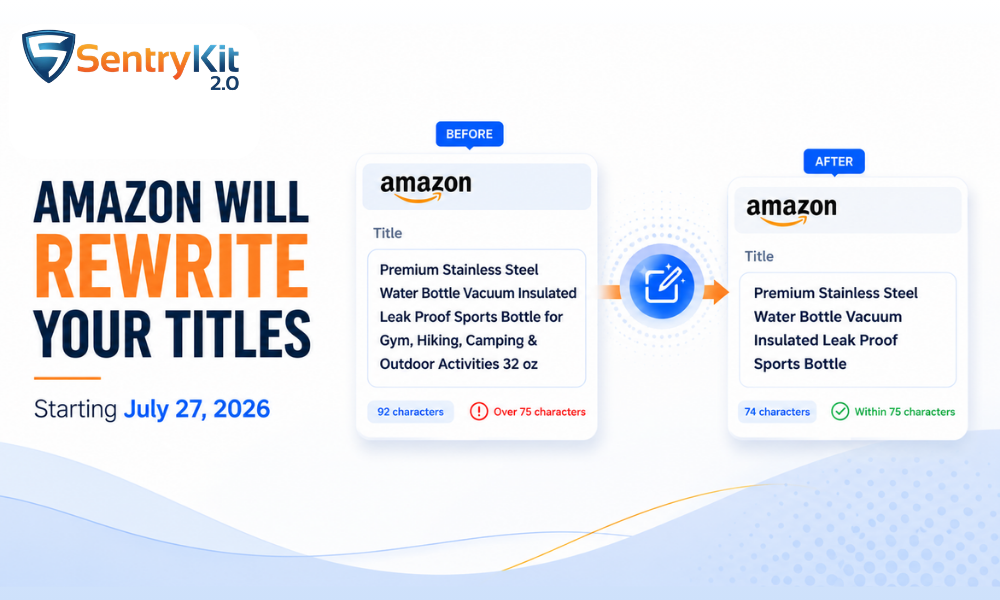
Starting July 27, 2026, any Amazon product title that exceeds 75 characters — including spaces — will be rewritten by Amazon’s AI. No notification. No approval process. Amazon will update your title on its own schedule, and if you’re not monitoring your listings for content changes, you may not know it happened.
This applies to every product category except media (books, music, and video). Amazon announced the change on June 10 via Seller Central, framing it as a move to ensure titles display fully on mobile devices and align with standards used by other major retailers.
The deadline is six weeks away. Here’s what you need to do before then, and how to catch changes after.
The rule is straightforward: product titles must be 75 characters or fewer, spaces included. Titles that exceed this threshold after July 27 will be automatically rewritten by Amazon’s AI systems — gradually, across listings, without seller action or advance notice.
Amazon is also introducing a new Item Highlights field at the same time. This is a separate, searchable field of up to 125 characters that appears directly below the title in search results and on product detail pages. It’s designed to carry the descriptive detail that long titles have traditionally tried to hold.
Two things happen on July 27 if you’re over the limit:
The sellers who come out ahead are the ones who audit and update now — not the ones waiting to see what Amazon writes for them. As PPC Land reported when the announcement landed, enforcement is gradual but the clock started June 10.
Most sellers’ first concern is: if I cut keywords from my title, I’ll stop ranking for them.
This isn’t how Amazon’s catalog indexing works. Amazon reads keywords from your title, bullet points, backend search terms, A+ content, and now the new Item Highlights field. Removing a keyword from your title doesn’t remove it from Amazon’s index — it removes it from one place Amazon reads it.
The more practical point: on mobile, which drives the majority of Amazon traffic, most titles are already being cut off well before 75 characters. The keyword-stuffed portion of your title wasn’t visible to shoppers. It was in the truncated text — the part that fades out on a product listing card in search results.
As My Amazon Guy noted in their coverage of the announcement, mobile was already doing the cutting for you. The cap makes official what the device was already doing quietly.
The right question isn’t “what do I lose?” It’s “where do my keywords go now?” The answer is Item Highlights.
Item Highlights is a new, seller-controlled field that Amazon is rolling out alongside the title change. It’s 125 characters, fully searchable, and appears below the title in both search results and on product detail pages — visible on mobile without truncation.
This is where the keywords that don’t fit in 75 characters should go.
A practical approach: once you’ve trimmed a title to its most important 75 characters (brand name, product name, key attribute), move the descriptive and keyword-rich detail to Item Highlights. Think of it as a second line for your listing rather than a replacement for the title.
Item Highlights can be set through Seller Central’s catalog editor or via flat file upload. If you manage a large catalog, flat file is faster.
You have six weeks. Prioritize by revenue impact — your top-performing ASINs carry the most risk.
Step 1: Export your catalog. In Seller Central, go to Inventory → Manage All Inventory and download the inventory file, or use the Listings report from Business Reports.
Step 2: Measure character counts. In Google Sheets or Excel, use =LEN(A1) on the title column. Sort by length descending.
Step 3: Identify the over-limit ASINs. Any title with a LEN value above 75 needs to be updated.
Step 4: Prioritize by sales velocity or revenue. Fix your highest-selling ASINs first. A title rewrite on a product doing $500/day carries more risk than one doing $15/day.
Step 5: Update before July 26. Don’t wait for July 27. If Amazon’s AI writes your title for you, you can overwrite it — but you’ll first need to find out it happened, understand what changed, and decide whether Amazon’s version works for your listing.
The title change does something beyond mobile readability. A 75-character title is also significantly more readable for Rufus — Amazon’s AI shopping assistant that Andy Jassy confirmed on Amazon’s Q4 earnings call has been used by more than 300 million customers. Shoppers who engage Rufus are about 60% more likely to buy.
Rufus evaluates a listing differently from a search index. It reads across multiple dimensions before deciding whether your product is the answer to a specific shopper question: not just what the product is, but its function, the event it suits, who it’s for. Someone asks for a housewarming gift for a friend with a small kitchen — the model matches on use case, audience, and occasion at once. A clean title plus a structured Item Highlights field is what Rufus can read and recommend confidently. A 200-character keyword string is noise to it.
Acting now isn’t just about compliance. Sellers who use the title cap as a forcing function to write cleaner, more structured listings will be better positioned in AI-assisted discovery — and that’s where a growing share of Amazon purchases is starting.
The risk after July 27 isn’t just the initial enforcement wave. Amazon has said the AI will rewrite titles gradually, on its own schedule. A title that’s currently over the limit could be rewritten in August, September, or beyond — whenever Amazon’s system reaches it.
Without monitoring, you’ll find out when you happen to check that listing, or when a customer notices something is off.
SentryKit’s Content Changed alert flags when Amazon modifies any tracked listing’s content — including titles. It delivers via the Daily Portfolio Digest, so you get a clear record of what changed and when across your catalog, without checking ASINs one by one.
This is the same mechanism behind the broader shift Amazon is making to AI-driven listing management. As we covered in our piece on Amazon’s silent listing changes, the July 27 title cap is one part of a wider pattern: Amazon’s systems are increasingly active in modifying listing content, and sellers who rely on manual checks are operating with a growing blind spot.
Fixing your titles before July 27 removes the immediate risk. Monitoring after ensures you catch anything that lands outside your control. If you’ve dealt with unexpected listing suppression or content changes before, the same principle applies here: you want to know when something changes, not discover it later.
Amazon’s AI will eventually rewrite it. The timing isn’t specified — enforcement is gradual and on Amazon’s schedule. The rewritten title may be acceptable, or it may omit details that matter for your conversion rate. You’ll have no input into what Amazon writes, and no notification when it happens.
No. Media categories — books, music, and video — are exempt. All other product categories in Seller Central are subject to the new limit starting July 27, 2026.
The new Item Highlights field. It’s 125 searchable characters, visible in search results and on product detail pages, and rolling out alongside the title change. Move your descriptive and keyword-rich detail there rather than leaving it in an over-limit title that Amazon will rewrite.
Item Highlights is a new seller-controlled field launching on July 27. It appears directly below the product title in search results and on product detail pages, displays on mobile without truncation, and is indexed by Amazon for search. Set it through Seller Central’s catalog editor or via flat file upload.
No. Amazon does not send a notification when it auto-rewrites a title. Sellers who aren’t monitoring their listings won’t know a rewrite has happened unless they check manually or use a tool that tracks listing content changes.

Nisha Shetty · Marketing Manager, SentryKit
Nisha is a marketing manager and former Amazon seller who writes about e-commerce growth, consumer behavior, and digital retail trends.