
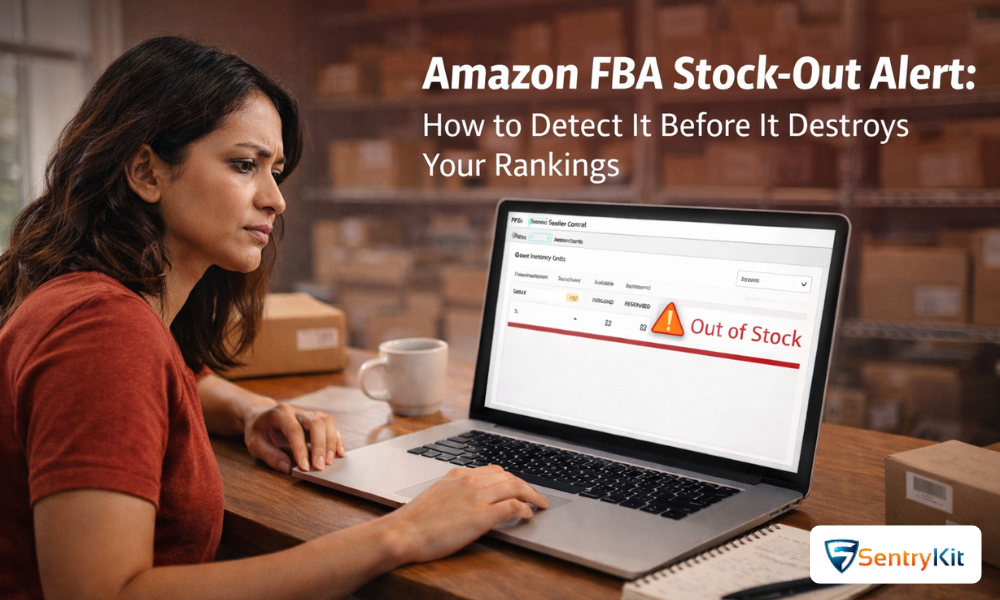
Running out of FBA stock is one of the most costly mistakes an Amazon seller can make. An Amazon FBA Stock-Out Alert is a notification triggered when your Fulfillment by Amazon inventory reaches zero or critically low levels, causing your listing to become inactive, unsearchable, or unavailable for purchase. When this happens, you lose immediate sales, damage your organic search ranking, and hand customers directly to your competitors — often permanently.
Amazon’s algorithm rewards consistent availability. Every hour a listing sits out of stock, it loses ranking velocity that can take weeks or months to rebuild. Whether you’re a private label brand, wholesale reseller, or retail arbitrage seller, understanding and responding to FBA stock-out alerts is non-negotiable for sustainable growth.
This comprehensive guide explains exactly what FBA stock-out alerts are, why they occur, how to detect them early, how to recover quickly, and most importantly, how to prevent them from happening again. We’ll also cover the best tools available to automate inventory monitoring so you’re never caught off guard.
An Amazon FBA Stock-Out Alert is a warning signal — either generated by a third-party monitoring tool or manually identified — that indicates your FBA inventory has reached zero units or has dropped below a safe threshold required to sustain sales continuity.
Definition: A stock-out occurs when all units of a product held in Amazon’s fulfillment centers have been sold, reserved, or removed, and no additional inventory is available to fulfill new orders. When this happens, Amazon may suppress the listing’s Buy Box, reduce its visibility in search results, or mark it as “Currently Unavailable.”
There are three distinct states sellers should understand:
| Inventory State | What It Means | Impact on Listing |
|---|---|---|
| Low Stock | Units remaining above zero but below reorder point | Listing still live; ranking begins to soften |
| Zero Units | All FBA inventory depleted; no stock to fulfill orders | Buy Box suppressed; listing may go inactive |
| Stranded / Reserved | Units exist but are not available for sale (e.g., FC transfer, unfulfillable) | Effectively treated as zero; same ranking damage applies |
Understanding the root causes of FBA stock-outs is the first step toward preventing them. Most stock-outs are not accidents — they are the result of avoidable planning, forecasting, or operational failures.
Amazon does not send sellers a formal “Stock-Out Alert” notification through Seller Central in the same way third-party tools do. Instead, Amazon reacts to inventory depletion through a series of automated system changes that directly impact a listing’s health and visibility.
Here is how Amazon’s systems respond when FBA inventory reaches zero:
Amazon’s Inventory Performance Dashboard also tracks your in-stock rate as a percentage, which affects your IPI score. Frequent stock-outs will lower your IPI, which can restrict your future restock limits and storage allocations — creating a damaging cycle.
Most FBA stock-outs are preceded by detectable warning signals that appear days or even weeks before the crisis hits. The problem is that most sellers aren’t monitoring closely enough to catch them in time.
⚠️ Early Warning Signals — Do Not Ignore These |
• Units available in Seller Central drops below your established safety stock threshold |
• Days of Supply metric falls below your supplier lead time (e.g., 35 days supply but 45-day lead time) |
• Sales velocity increases significantly without a corresponding inventory buffer |
• Restock recommendation appears in Amazon’s Inventory dashboard |
• Your IPI score begins declining — often a signal of inventory management issues |
• Units show as “Reserved” or “FC Transfer” for extended periods (5+ days) |
• Sponsored ad impressions or clicks decline suddenly without a campaign change |
• Buy Box win percentage drops unexpectedly |
• BSR begins rising (a higher number means lower rank) without apparent cause |
Early detection is the difference between a minor disruption and a catastrophic ranking loss. Sellers who catch the warning signs 2–3 weeks in advance can replenish stock before a single sale is missed.
Log into Seller Central and navigate to Inventory > Manage FBA Inventory. Set a column filter to display “Available” units. Any ASIN showing below your safety stock threshold needs immediate attention.
Also review Reports > Fulfillment > Inventory Ledger to understand inventory movement over time and identify velocity trends.
In Seller Central, go to Inventory > Restock Inventory. Amazon automatically generates restock recommendations based on your historical sales velocity and lead times. Set your supplier lead time accurately here — this directly affects when Amazon starts alerting you.
Amazon displays a “Days of Supply” estimate in the Restock Inventory dashboard. This figure represents how many days your current stock will last at the current sales rate. A simple rule of thumb:
The most reliable way to detect FBA stock-outs early is through an automated monitoring platform like SentryKit. SentryKit continuously monitors your ASINs and sends real-time alerts when inventory drops below your defined threshold, the Buy Box is lost, or a listing becomes inactive — all before you discover the problem manually during a routine Seller Central check.
Ignoring an FBA stock-out alert is not a passive mistake — it is an active decision with compounding consequences. The longer a listing remains out of stock, the harder and more expensive recovery becomes.
| Time Out of Stock | Typical Impact | Recovery Difficulty |
|---|---|---|
| 1–3 days | Buy Box loss, minor ranking slip | Low — recovers quickly on restock |
| 4–10 days | Significant BSR drop, ad spend wasted | Moderate — 1–2 weeks to recover rank |
| 11–30 days | Severe rank collapse, competitor gains market share, keyword position lost | High — requires aggressive PPC and promotions |
| 30+ days | Listing effectively treated as new; BSR may reset | Very High — may require full relaunch strategy |
Beyond rankings, there are secondary consequences sellers often overlook:
When an FBA stock-out alert is triggered, sellers need to act quickly across multiple fronts simultaneously. Here is a structured recovery plan:
Log into Amazon Seller Central and navigate to Inventory > Manage FBA Inventory. Confirm whether the ASIN shows zero available units. Check whether units are in transit, reserved, or unfulfillable. Understand the precise scope of the problem before acting.
Navigate to Advertising > Campaign Manager. Either pause all campaigns for the affected ASIN or reduce bids significantly. Running ads to a listing with no available inventory wastes budget and can accumulate negative click-through data.
If you have any product units on hand — even small quantities — create an FBM (Fulfilled by Merchant) listing on the same ASIN immediately. This keeps your listing active, maintains Buy Box eligibility, and preserves your organic ranking while FBA inventory is replenished. An FBM bridge is one of the most powerful tactics to minimize ranking damage during a stock-out.
To create an FBM offer: Go to Inventory > Add a Product > find your existing ASIN > add a new offer with Fulfilled by Merchant selected. Set a shipping lead time that reflects your actual fulfillment capability.
Contact your manufacturer or supplier immediately. Request expedited production and shipping options. Consider air freight for a partial shipment (even 100–200 units) to restore availability faster while a larger sea freight shipment is in transit. The cost of air freight is almost always less than the revenue and ranking damage sustained during an extended stock-out.
Once inventory is confirmed, create an inbound shipment plan in Seller Central under Inventory > Send/Replenish Inventory. Ensure you comply with current restock limits for your account. Send to an Amazon fulfillment center as quickly as possible. Monitor the shipment in transit to ensure it is received and checked in promptly.
Track your shipment status in Seller Central. Once units are received and checked in, your listing should automatically reactivate. Verify that the Buy Box is restored and that your listing is appearing in search results. It may take 24–72 hours for rankings to begin recovering.
Once inventory is confirmed available (minimum 30+ days of supply), restart your PPC campaigns. Begin with conservative bids and scale up over 7–14 days. If your BSR dropped significantly, consider running targeted promotions or coupon codes for 5–7 days to accelerate sales velocity and rebuild ranking momentum.
Recovery time depends on two primary factors: how long the listing was out of stock, and how aggressively the seller re-engages after restocking.
The key insight: every day of recovery costs money. A well-funded seller who restocks quickly and advertises aggressively will recover faster. A seller who restocks but takes no active steps may see rankings continue to decline even after inventory is restored.
Prevention is significantly cheaper and less stressful than recovery. Implementing the following practices will dramatically reduce the likelihood of future stock-outs.
Safety stock is a buffer of inventory held above your average demand to protect against variability. The formula:
Safety Stock = (Max Daily Sales × Max Lead Time) − (Avg Daily Sales × Avg Lead Time) |
Example: If your product sells a maximum of 20 units/day, max lead time is 50 days, average daily sales are 15 units, and average lead time is 40 days:
Safety Stock = (20 × 50) − (15 × 40) = 1000 − 600 = 400 units minimum buffer.
Your reorder point (ROP) tells you exactly when to place a new purchase order. Use this formula:
Reorder Point = (Average Daily Sales × Supplier Lead Time in Days) + Safety Stock |
Set calendar reminders or use inventory management software to trigger a reorder alert automatically when your FBA quantity hits this number.
Add 7–14 days to your supplier lead time to account for Amazon’s inbound receiving process. Shipments can sit at an Amazon FC for several days before units are checked in and made available for sale. Many sellers forget this step and stock out while their shipment is technically “at Amazon.”
Avoid being 100% dependent on FBA. Maintain the capability to fulfill orders via FBM as a backup. Even if FBM is not your primary fulfillment method, having an active FBM listing on each ASIN allows you to bridge stock-out gaps instantly when needed.
Work with suppliers who offer partial shipment options and shorter minimum order quantities. Build relationships that allow you to request rush orders when necessary. Diversify your supplier base where possible so that a single factory shutdown does not eliminate your entire supply chain.
Historical sales data alone is insufficient for seasonal products. Manually adjust your demand forecasts upward by 30–50% ahead of known peak periods (Q4, Prime Day, back-to-school season, etc.). Coordinate increased inventory levels 60–90 days in advance of these windows.
Manual monitoring of inventory levels is inefficient and error-prone. The best sellers use automated tools that watch their listings continuously and send instant alerts when action is required.
SentryKit is a dedicated Amazon listing monitoring platform that tracks FBA inventory levels, Buy Box status, listing suppression, hijackers, image changes, and more — all in one dashboard. When your inventory drops below a custom threshold you define, SentryKit sends an immediate alert via email or SMS so you can act before a stock-out occurs.
Key features relevant to FBA stock-out prevention:
View SentryKit’s monitoring alerts features to see how automated FBA monitoring can protect your inventory health.
While not as proactive as third-party tools, Seller Central offers several built-in inventory management features worth using:
For high-volume sellers managing dozens or hundreds of SKUs, dedicated inventory management platforms can provide advanced demand forecasting, automated purchase order generation, and supplier management capabilities beyond what Seller Central or basic monitoring tools offer.
📋 Key Takeaways for Amazon Sellers |
• An FBA Stock-Out Alert signals that your inventory has hit zero or critically low levels — triggering Buy Box loss, listing suppression, and organic ranking damage. |
• Amazon’s A9/A10 algorithm actively deprioritizes out-of-stock listings in search results; ranking recovery takes significantly longer than the stock-out itself. |
• The FBM Bridge Strategy is the most effective emergency tactic — even a handful of FBM units can keep your listing active and preserve ranking while FBA inventory is replenished. |
• Every day out of stock compounds the damage; 3 days is manageable, 30+ days may require a full product relaunch. |
• Safety stock and accurate reorder points — calculated with a formula accounting for sales variability and lead times — are the foundation of stock-out prevention. |
• Automated monitoring tools like SentryKit detect low inventory and listing status changes in real-time, enabling proactive action before stock-outs occur. |
• Suspend all PPC campaigns immediately upon detecting a stock-out to avoid wasting ad budget on a listing that cannot convert. |
Stock-outs are caused by inaccurate demand forecasting, long supplier lead times, Amazon restock limits, shipping delays, unexpected viral sales spikes, or incorrect reorder point calculations.
Amazon does not send a direct stock-out alert email. However, Seller Central shows restock recommendations, and the listing’s status changes are visible in your inventory dashboard. Third-party tools like SentryKit send real-time alerts.
Amazon’s algorithm actively deprioritizes listings with zero inventory. Organic search rank, Best Seller Rank (BSR), and Buy Box eligibility all decline — sometimes within hours of the stock-out.
Your ads may technically continue running, but listing without inventory cannot convert. Clicks waste your budget. Pause all PPC campaigns immediately when a stock-out is detected.
For short stock-outs (1–3 days), recovery can take 3–7 days. Longer stock-outs (10–30 days) may require 4–8 weeks of active recovery with promotions and increased advertising.
Creating an FBM (Fulfilled by Merchant) offer on the same ASIN during an FBA stock-out. This keeps the listing active, maintains Buy Box eligibility, and protects organic rankings while FBA inventory is replenished.
Yes. Amazon tracks your in-stock rate as a component of the Inventory Performance Index (IPI). Frequent stock-outs lower your IPI, which can reduce your FBA storage limits and restock allowances.
Safety Stock = (Max Daily Sales × Max Lead Time) − (Avg Daily Sales × Avg Lead Time). Add additional buffer for seasonal demand variability and Amazon’s receiving processing time (typically 7–14 days).
Yes. Platforms like SentryKit monitor FBA inventory levels continuously and send real-time alerts when stock drops below your defined threshold — giving you days or weeks to respond rather than discovering it after the fact.
In most cases, yes. The cost of air freight for an emergency partial shipment is typically far less than the revenue loss, ranking recovery cost, and advertising spend required to rebuild after a significant stock-out.
Immediately:
(1) Verify units in Seller Central,
(2) Pause PPC campaigns,
(3) Activate FBM if possible,
(4) Contact your supplier to expedite,
(5) Create an inbound FBA shipment plan.
Sellers with low IPI scores face storage caps that limit how much inventory they can send to Amazon FCs. This can prevent adequate restocking even when demand exists. Maintaining a high IPI score by managing inventory efficiently is essential.